

Loading paper in the MP Tray
This section explains the procedure for loading paper of standard sizes.
For the paper that can be used, please refer to "Applicable paper" or "Paper applicable to each tray".
To load paper of irregular sizes, please refer to "Printing on irregular-sized paper (custom size)".
To load long paper, please refer to "Printing on long paper".

- Do not load paper of different sizes, types or weights at the same time.
- To add paper, remove the existing paper in the MP tray, and then load it back together with the paper to be added.
- Do not insert anything other than print paper into the MP tray.
- Do not leave paper in the MP tray for an extended period of time. Dust and dirt will adhere to the paper, and the print quality will degrade.

A4, A5, B5, B6, Letter, Statement, Executive and Japanese Double PostCard can be loaded in either portrait or landscape orientation.
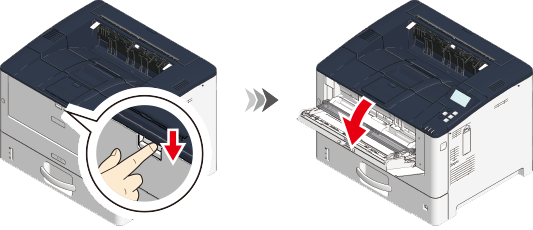
Press the white part of the front recess and pull to open the MP tray towards you.
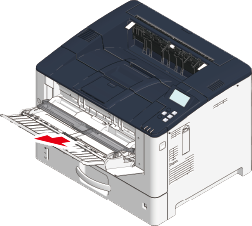
Hold the center of the paper supporter and pull it out towards you.
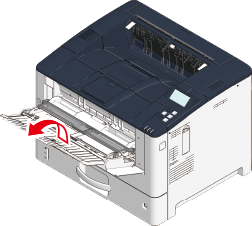
Open the auxiliary supporter.
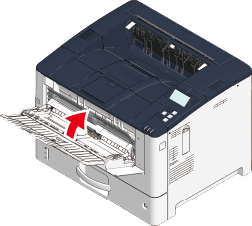
Lift the paper placement cover.
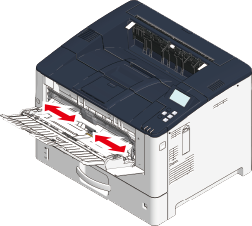
Adjust the manual feeder guide to the width of the paper to be loaded.
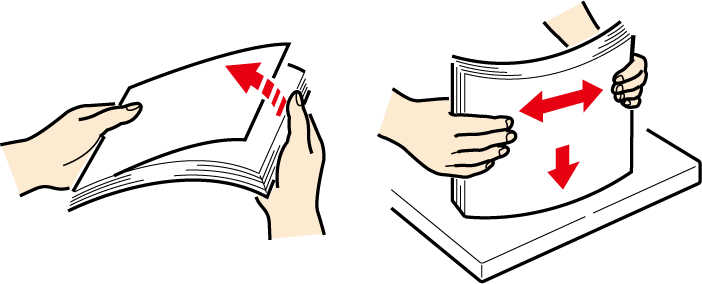
Shuffle the paper well. Align edges of the paper horizontally.
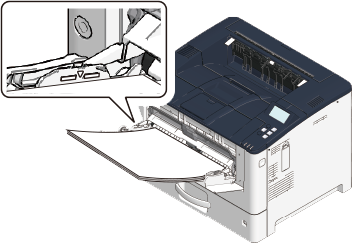
Load the paper with the print side facing up.
Do not exceed the ▽ mark on the paper guide when loading paper.
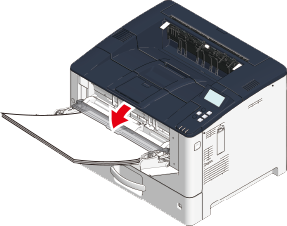
Lower the paper placement cover.
- The paper cannot be fed if the paper placement cover is not lowered.
If you always print on paper of the same size and type from the MP tray, go to "Setting paper information on the operator panel" and set the information of the loaded paper on this machine.