

Copying the setup information of this machine to other devices
Exporting settings of this machine
Open the web page of this machine.
Log in as an administrator.
- Select [Printer Settings].
Click the Menu button on the upper right corner, and then select [Configuration Management] - [Settings Export].
Select the settings to be copied.
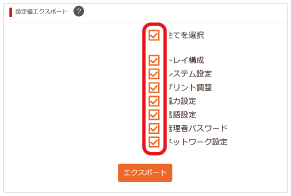
Click [Export].
Specify the storage location, name the file, and click [Save].

- The file may be saved without displaying the saving screen depending on the specific web browser.

Importing settings of this machine
Open the web page of the device to which you want to copy the settings.
Log in as an administrator.
- Select [Printer Settings].
- Click the Menu button on the upper right corner, and then select [Configuration Management] - [Settings Import].
- Click [Select File], and select the copying file to export.
- Click [Import].