

Setting items of the web page
Status
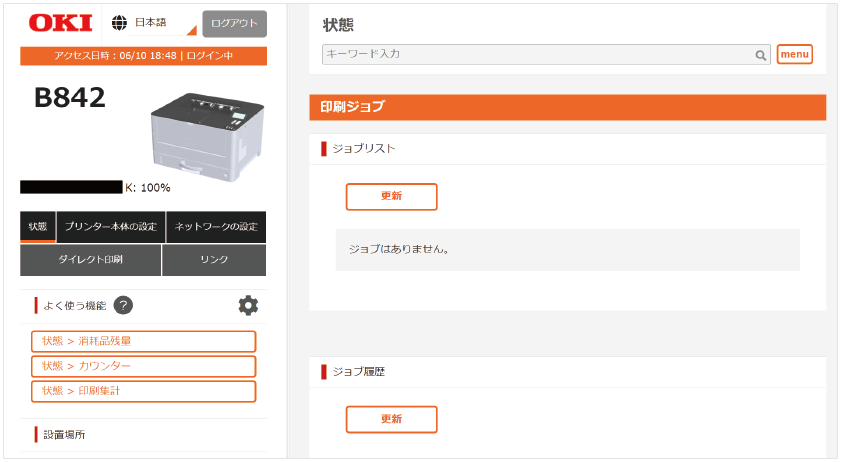
Item | Description | ◯: Items to display | ||
|---|---|---|---|---|
Admin | User Name | |||
| Print Job | Job Lists | Displays a list of print data sent to this machine. You can also delete the print data during or before printing. | ◯ | |
| Job Log | Displays the job history (or job log) saved in this machine. | ◯ | ||
| System Information | Information | Displays the information of this machine. | ◯ | ◯ |
| Version Information | Displays the version of firmware. | ◯ | ◯ | |
| Supplies Life | Remaining Toner | Displays the remaining toner amount. | ◯ | ◯ |
| Drum Life Remaining | Displays the remaining service life of the image drum. | ◯ | ◯ | |
| Fuser Life Remaining | Displays the remaining service life of the drum unit. | ◯ | ◯ | |
| Counter | Print Counter | Displays the total print quantity for each tray. | ◯ | ◯ |
| Paper Feed Roller Counter | Displays the number of sheets fed from each tray. | ◯ | ◯ | |
| Print Statistics | Usage Report | Displays the Printer Usage Report. | ◯ | |
| Alert Information | Error | Displays errors that have occurred in this machine as "Alert Information". | ◯ | ◯ |
| Warning | Displays warnings that have occurred in this machine as "Alert Information". | ◯ | ◯ | |
| Display and Save Printer Information | Open Printer Information | Displays the information of this machine in a separate window. | ◯ | |
| Export MenuMap | Saves the printer's menu map. | ◯ | ◯ | |
| Export NFC Setting Log | Saves the result of setting changes by NFC. | ◯ | ◯ | |
Printer Settings
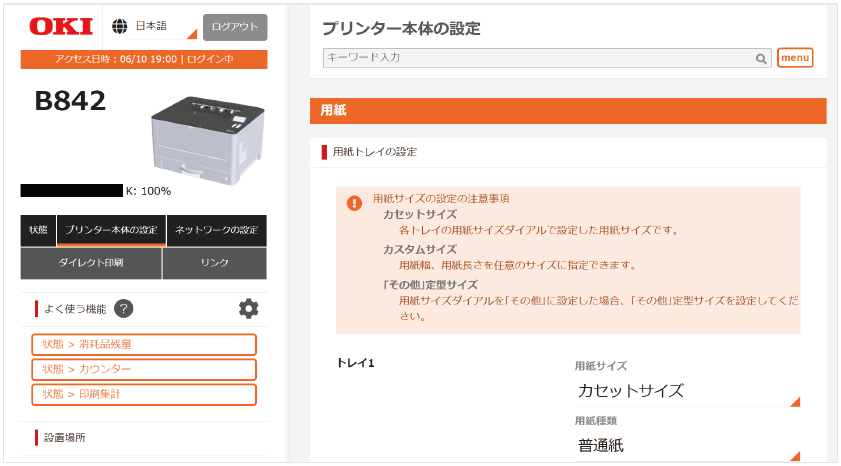
Item | Description | ◯: Items to display | |||
|---|---|---|---|---|---|
Admin | User Name | ||||
| Paper Setup | Paper Tray Setup | Displays or sets the paper size, custom paper, etc. for each tray. | ◯ | ◯ | |
| Paper Input Options | Sets paper input options, tray switching and priority. | ◯ | |||
| Duplex Last Page | Sets whether to print on both sides when the last page is single-sided. | ◯ | |||
| Management | Identification | Displays or sets the information to identify this machine. | ◯ | ◯ | |
| Panel Setup | Sets the items to be displayed on the screen. | ◯ | |||
| Time Setup | Sets items related to the time. | ◯ | |||
| Power Setup | Sets power save, sleep and auto power off. | ◯ | |||
| Buzzer Setup | Adjusts the volume of the buzzer when an error occurs, when the printing has completed, and when AirPrint is checked. | ◯ | |||
| System Setup | Sets general items related to the system. | ◯ | |||
| Admin Password | Sets the admin password. | ◯ | |||
| Near Life Setup | Sets whether to display a message when the supplies or maintenance parts are approaching the end of service life. | ◯ | |||
| USB Setup | Sets the information about USB. | ◯ | |||
| Job Cancel Setup | Sets the actions when «CANCEL» is pressed. | ◯ | |||
| Font output mode setting | Sets the information about the font output mode. | ◯ | |||
| Private Print Setup | Sets how private jobs are handled on the machine. | ◯ | |||
| Flash Memory Setup | Used to initialize the flash memory and format a partition. | ◯ | |||
| Job Log Setup | Sets whether to save the job log. Also used to clear saved job logs. | ◯ | |||
| User Management | Access Control Setup | Sets the access control function. | ◯ | ||
| User Management | User | Registers/Deletes a user to use this machine. | ◯ | ||
| Role | Manages the role assigned to the user. | ◯ | |||
| Group | Manages users registered in this machine in group. | ◯ | |||
| LDAP Authentication | Sets the user information and PIN required to use LDAP authentication. | ◯ | |||
| Role Assignment Rules for LDAP Authentication | Defines the regulations on assigning roles to users when using LDAP authentication. | ◯ | |||
| Print Statistics | Configures settings rated to the Print Statistics function. | ◯ | ◯ | ||
| User Counter | Displays the Usage Report of each user. | ◯ | |||
| User Counter Export | Exports the Usage Report of each user to a CSV file. | ◯ | |||
| Print Setup | Sets the number of copies, etc. Upon using the printer driver, the setup in the printer driver will take priority over this setting value. | ◯ | |||
| Printing behavior | Sets items related to printing behavior such as Toner Save and Manual Timeout. | ◯ | |||
| Error behavior | Sets the items related to actions when an error like a paper jam has occurred. | ◯ | |||
| Print Adjustment | Sets the items related to print adjustment such as high humidity control and image drum cleaning. | ◯ | |||
| Customize Menu | Sets the print density. | ◯ | |||
| Print Position Adjust | Adjusts the print position such as X Adjust, Y Adjust, Duplex X Adjust, and Duplex Y Adjust. | ◯ | |||
| Hex Dump | Converts the data received from the host PC to hexadecimal format before printing. | ◯ | |||
| Configuration Management | Settings Export | File and save the settings of this machine to a PC. | ◯ | ||
| Settings Import | Transmits settings of this machine which are saved and filed to the PC. | ◯ | |||
| Erase Privacy Data | Erases the following data set in this machine.
| ◯ | |||
| Menu Settings | Saves the current menu settings. Menu settings that have been saved previously will be overwritten. | ◯ | |||
| Reset Settings | Resets the menu settings changed by the user to the factory default settings. | ◯ | |||
| Emulation | PS Setup | Sets the information about PS. | ◯ | ||
| PCL Setup | Sets the information about PCL. | ◯ | |||
| SIDM Setup | Sets the information about SIDM. | ◯ | |||
| IBM 5577 Setup | Sets the information about IBM 5577. | ◯ | |||
| ESC/P Setup | Sets the information about ESC/P. | ◯ | |||
Network Setup
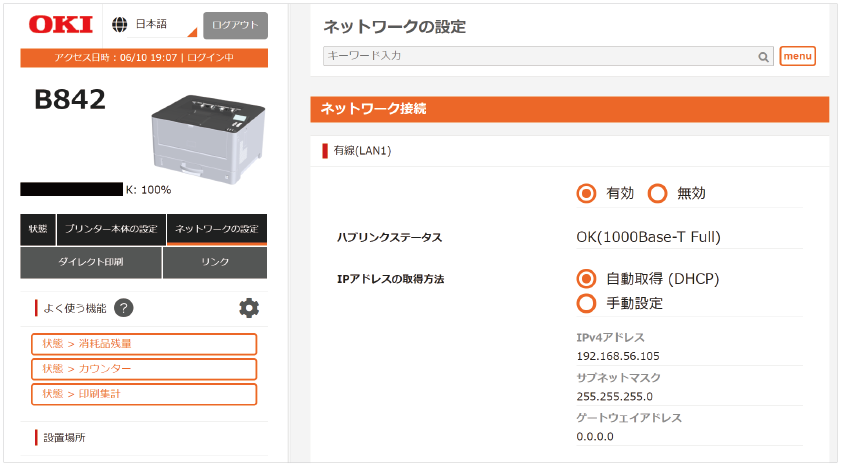
Item | Description | ◯: Items to display | |||
|---|---|---|---|---|---|
Admin | User Name | ||||
| Network Connection | Wired(LAN1) | Displays and sets the connection information of the standard wired LAN. | ◯ | ◯ | |
| Extended Network | Extended Network | Displays and sets the network module to be added in addition to the wired LAN (LAN1) module. | ◯ | ◯ | |
| Wired(LAN2) | Displays and sets the connection information of the optional wired LAN. | ◯ | ◯ | ||
| Wireless LAN | Displays and sets the connection information of the optional wireless LAN. | ◯ | ◯ | ||
| Default Gateway Settings | Specify the network connection method for segment-based communication. | ◯ | |||
| Other TCP/IP Settings | Displays and sets other TCP/IP information such as the DNS server and the WINS server. | ◯ | ◯ | ||
| AirPrint | Sets items related to AirPrint. | ◯ | |||
| Network Scale | This setting is to operate more efficiently on the network. When using a hub with a spanning tree function, this function is effective when the PC and this machine are connected on a one-to-one basis with a crossover cable. | ◯ | |||
| Printer management | Cloud Setting | Sets the information about the cloud connection. | ◯ | ||
| Email Alert | Sets the function to receive notifications by email when an error has occurred in this machine. | ◯ | |||
| Protocol | LPR | Displays the action status of LPR. | ◯ | ◯ | |
| Port9100 | Displays the action status of Port9100. | ◯ | ◯ | ||
| TCP/IP | Displays the action status of TCP/IP. | ◯ | ◯ | ||
| NetBIOS over TCP/IP | Displays and sets the information about NetBIOS over TCP/IP. | ◯ | ◯ | ||
| IPP | Displays and sets the information about IPP. | ◯ | ◯ | ||
| Windows Rally | Sets the information about Windows Rally. | ◯ | |||
| Mopria | Sets the information about the Mopria Print Service. | ◯ | |||
| IPP Everywhere | Sets the information about IPP Everywhere. | ◯ | |||
| E-mail Printing | Sets the information to receive e-mails. | ◯ | |||
| LDAP Server Setting | Sets the information about the LDAP server. | ◯ | |||
| SNMP | Displays and sets the information about SNMP. | ◯ | ◯ | ||
| SNTP | Displays and sets the information about SNTP. | ◯ | ◯ | ||
| Local Ports | Sets the information about Local Ports. | ◯ | |||
| Telnet | Displays and sets the information about Telnet. | ◯ | ◯ | ||
| FTP | Displays and sets the information about FTP. | ◯ | ◯ | ||
| Web | Displays and sets the information about Web. | ◯ | ◯ | ||
| HTTP | Displays and sets the information about HTTP. | ◯ | ◯ | ||
| POP | Sets the information about POP. | ◯ | |||
| SMTP | Sets the information about SMTP. | ◯ | |||
| Security | IP Filtering | Restricts access by TCP/IP. Controls access from outside the company. | ◯ | ||
| MAC Address Filtering | Restricts access by the MAC address. Controls access from outside the company. However, this function requires knowledge about the MAC address. | ◯ | |||
| IPSec | Sets the encryption and tampering of communication between this machine and your PC (client). | ◯ | |||
| IEEE802.1X Authentication | Sets the information related to IEEE802.1X/EAP. | ◯ | |||
| Secure Protocol Server Setting | Sets the information about the secure protocol server. | ◯ | |||
| WebPage Authentication Method | Sets the web page authentication method. | ◯ | |||
| Communication Encryption (SSL/TLS Server Certificate) | Encrypts communication between this machine and your PC (client). | ◯ | |||
| Maintenance | Reset Network Card | Resets the network card. The web page will not be displayed even if you access from the web browser until the resetting has completed. | ◯ | ||
| Restore Network Card to Factory Defaults | Restores the network card to factory default settings. The IP address will be reset to the initial state, and the information set manually will be lost. In that case, you will not be able to view the web page. | ◯ | |||
Direct Print
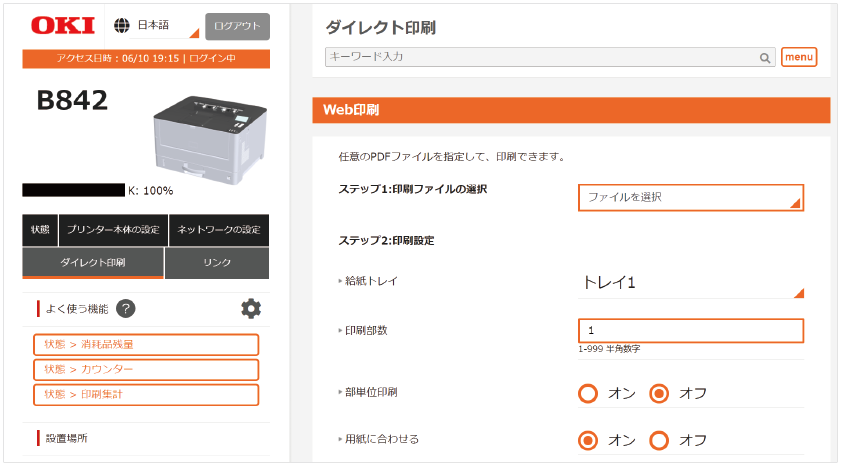
Item | Description | ◯: Items to display | ||
|---|---|---|---|---|
Admin | User Name | |||
| Direct Print | Web Printing | Prints with any PDF file specified. | ◯ | ◯ |
| Email Printing | Sets the e-mail reception. Prints a PDF, JPEG, or TIFF file attached to an e-mail. | ◯ | ||
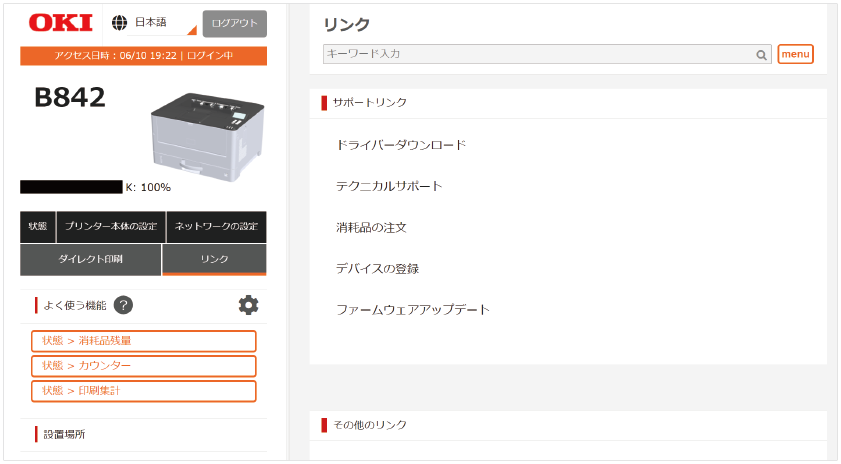
Links
Item | Description | ◯: Items to display | ||
|---|---|---|---|---|
Admin | User Name | |||
| Links | Support Links | Displays the links set by the manufacturer. | ◯ | ◯ |
| Other Links | Displays the links set by the administrator. | ◯ | ◯ | |
| Edit Links | Sets the URL to be displayed in the links. You can register 5 support links and 5 other links. Input the URL including "http: //". | ◯ | ||