

Turning off the power automatically (Auto Power Off)
This machine comes with a function (Auto Power Off) to turn off the power automatically if it has not been used for a certain period of time.
There are 3 types of settings for Auto Power Off, and the default factory setting is [Auto Config].
- [Auto Config]: The power is turned off automatically if the machine has not been used for a certain period of time, except in the following situations.
- When the LAN cable is connected to the network interface connector
- When the wireless LAN is enabled
- [Enable]: The power is automatically turned off if this machine has not been used for a certain period of time.
- [Disable]: The Auto Power Off function is disabled. The power does not turn off automatically.

- Auto Power Off does not work in the following cases.
- By default, Auto Power Off does not work with a network connection (wired/wireless).
- When an error has occurred
Follow the procedure below to change the Auto Power Off setting.
Check that "Ready To Print" appears on the display.

- If the machine is in the power saving mode, press «OK» to restore.
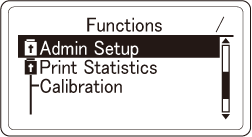
Press the scroll button ▼ on the operator panel several times to select [Admin Setup], and then press «OK».
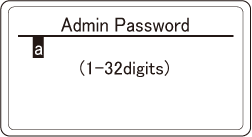
Press ▲ or ▼ to input the admin password, and press «OK».
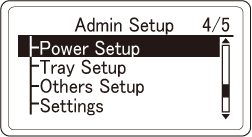
Press ▼ several times to select [Power Setup], and then press «OK».
Check that [Auto Power Off] is selected, and then press «OK».
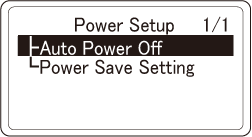
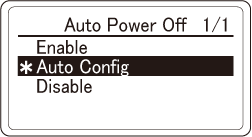
Press ▲ or ▼ to select [Auto Config], [Enable] or [Disable], and then press «OK». Check that [*] is displayed to the left of the selected setting.
Press «CANCEL» to return to the standby screen.
