
2. Setting the IP address, etc.
Set values suitable for the current environment on the operator panel.
The following case is taken for example here.
- IP address of this machine: 192.168.0.2
- Subnet mask: 255.255.255.0
- Gateway address: 192.168.0.1
- Power on this machine.
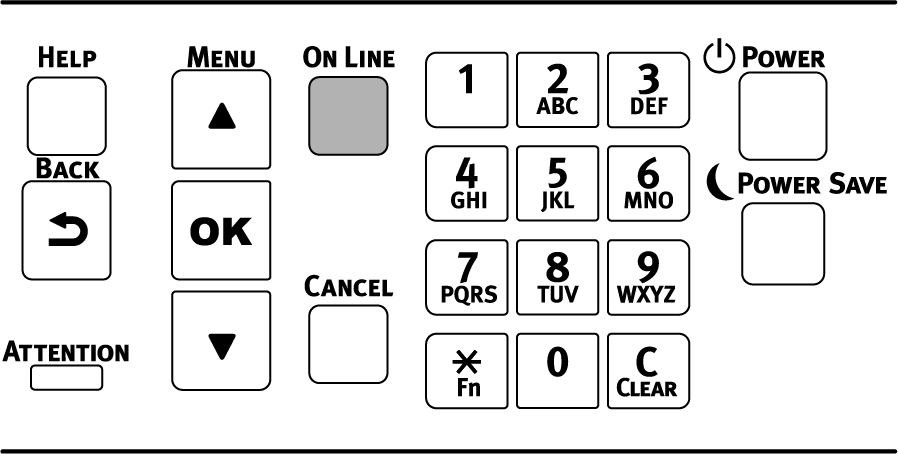
Press the scroll button ▼ on the operator panel several times to select [Admin Setup], and press «OK».
Input the admin password using the numeric keypad, and press «OK».
Check that [Network Setup] is selected, and press «OK».
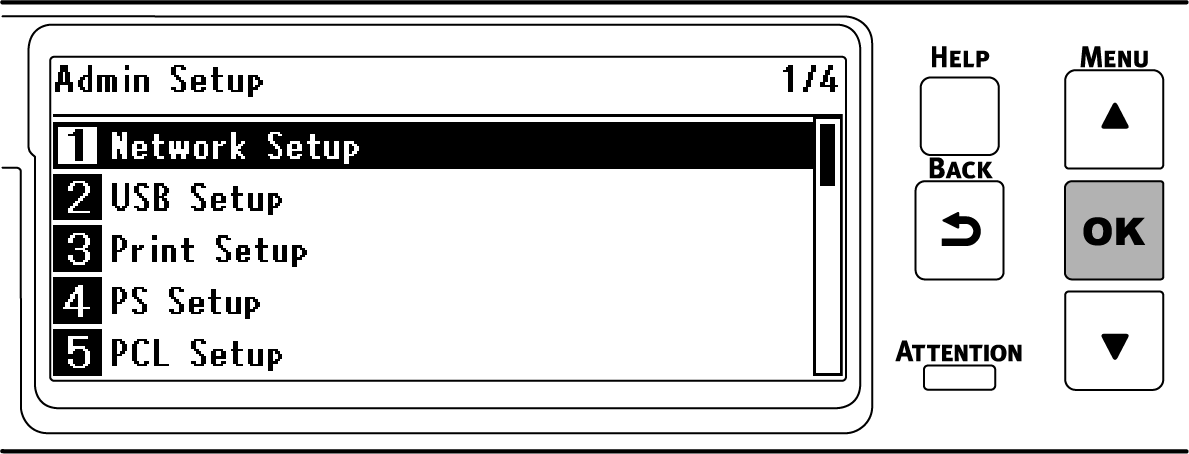
Press ▼ to select [Wired(LAN1) Setup], and press «OK».
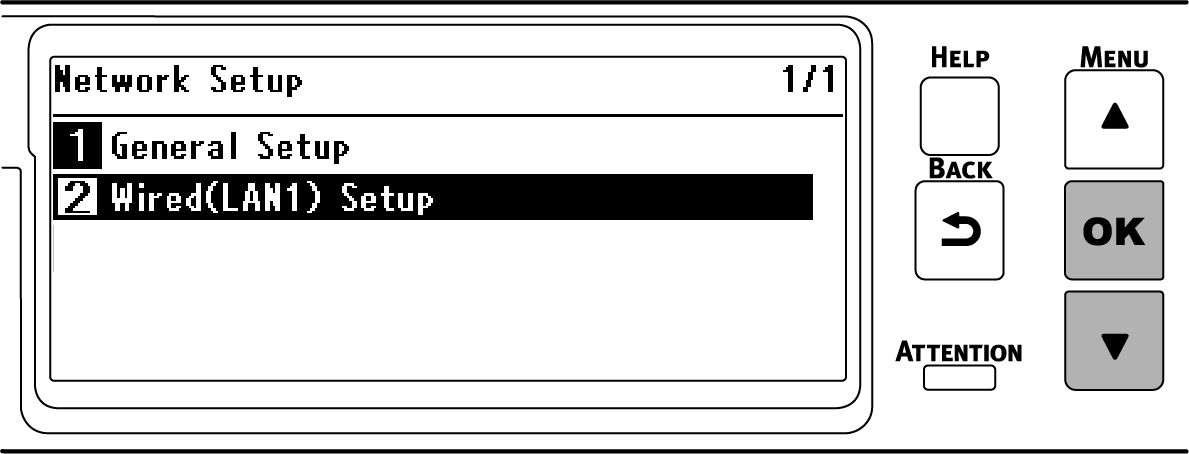
Press ▼ to select [IP Address Set], and press «OK».
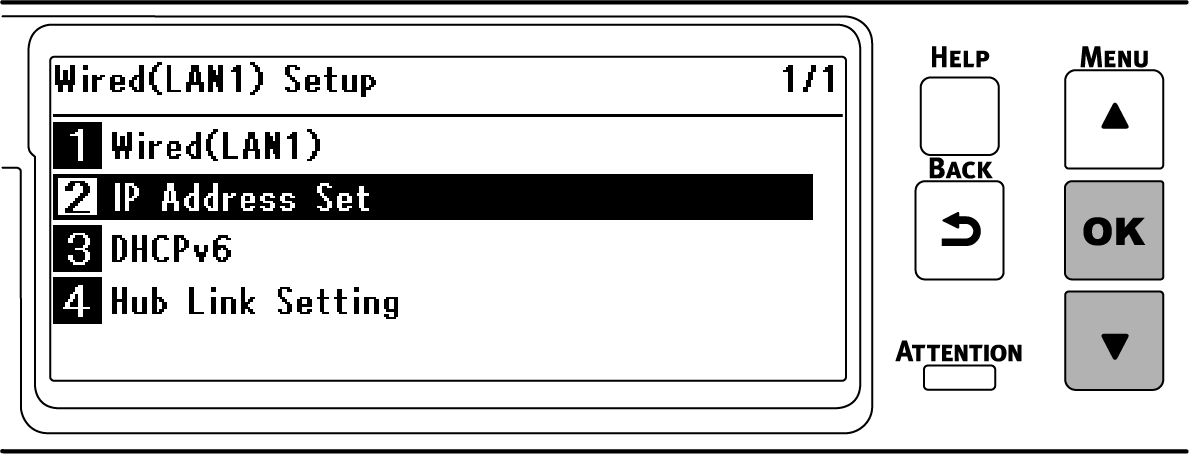
When you set the IP address manually, press ▼ to select [Manual] and press «OK».
Go to Step 7.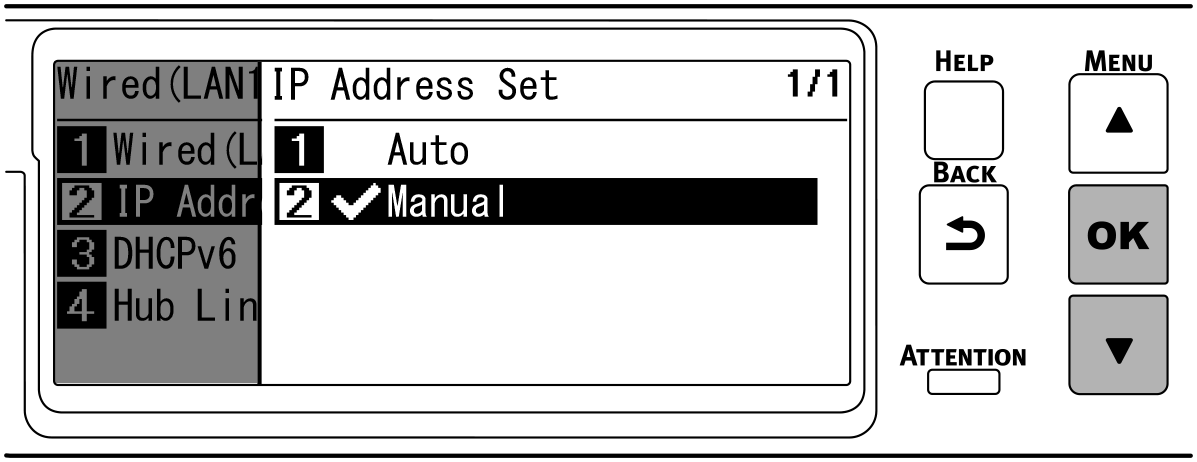
When the IP address is obtained automatically, check that [Auto] is selected and press «BACK».
Go to Step 14.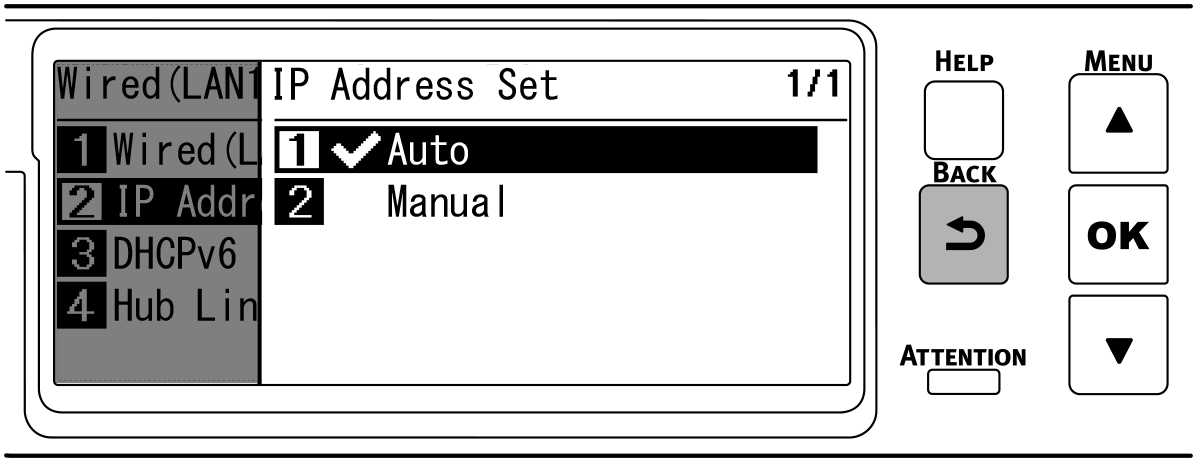
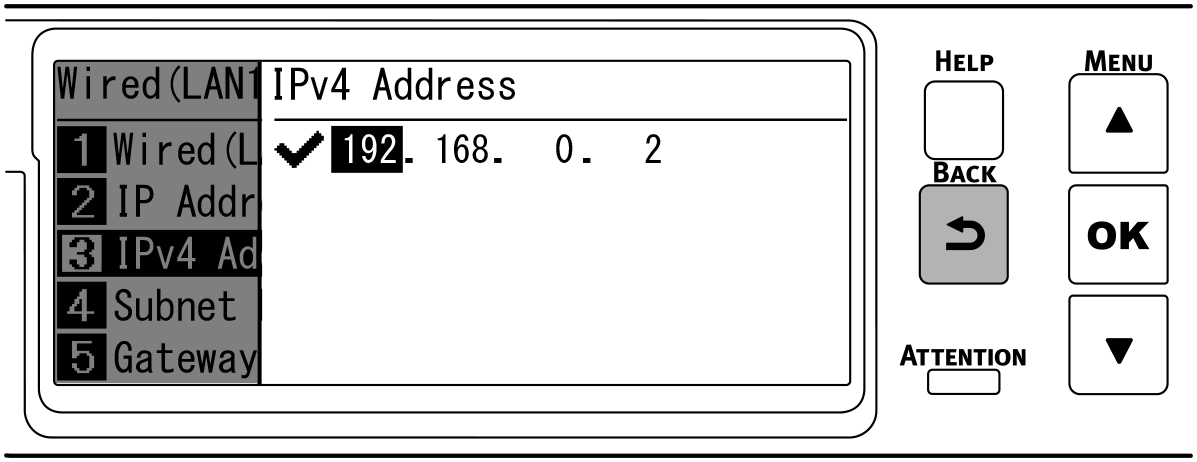
Press «BACK», then press ▼ to select [IPv4 Address] on the [Wired(LAN1) Setup] screen, and finally press «OK».
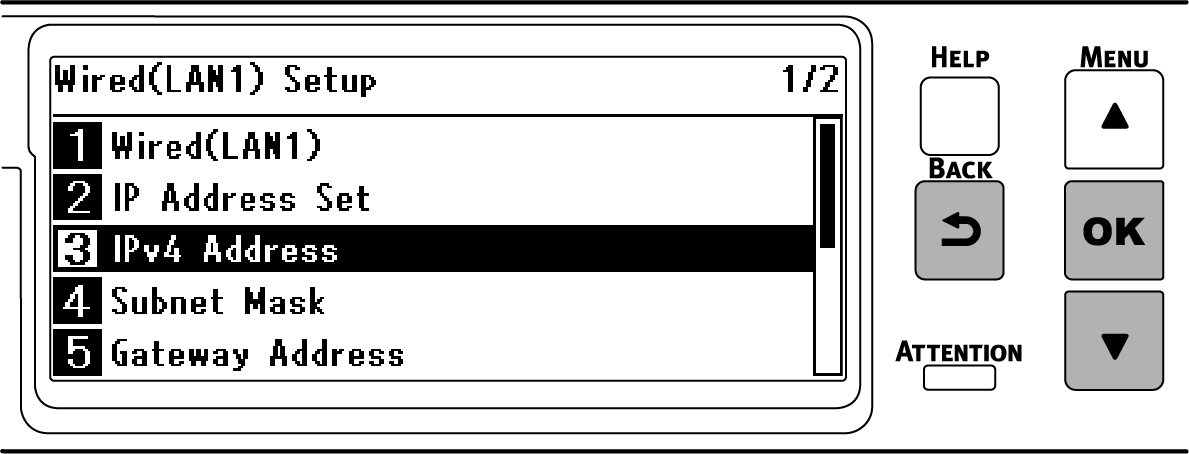
Use either the scroll buttons or the numeric keypad to input the first 3 digits of the IP address, and press «OK».
Input the next 3 digits in the same way. To move to the next box, press «OK».
Press «OK» after inputting all the digits.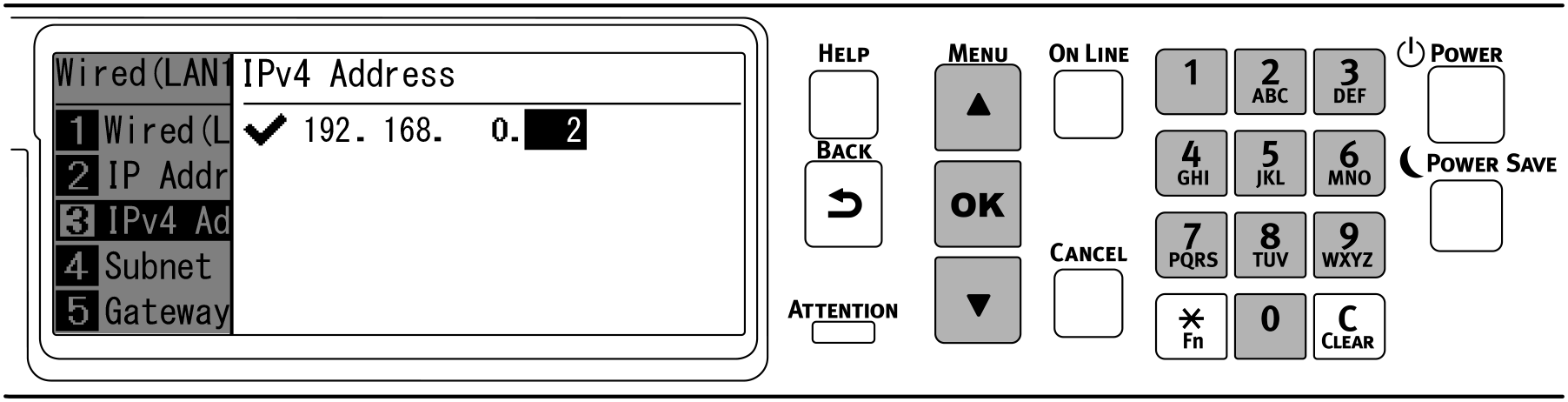
Check that the cursor has returned to the first 3 digits, and press «BACK».
Press ▼ to select [Subnet Mask], and press «OK».
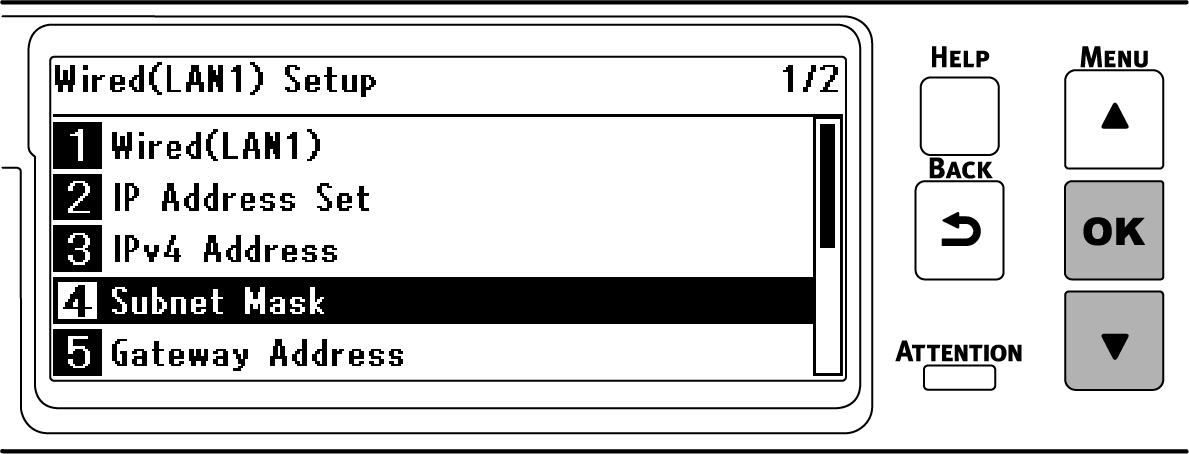
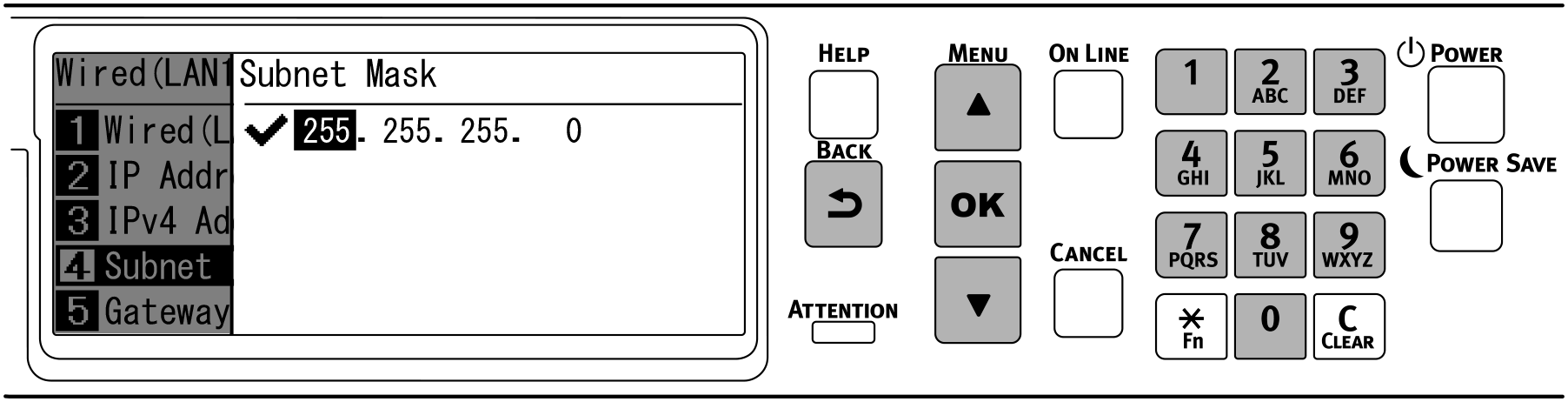
Input the subnet mask in the same way as the IP address. Press «OK» after inputting all the information, check that the cursor has returned to the first 3 digits, and press «BACK».
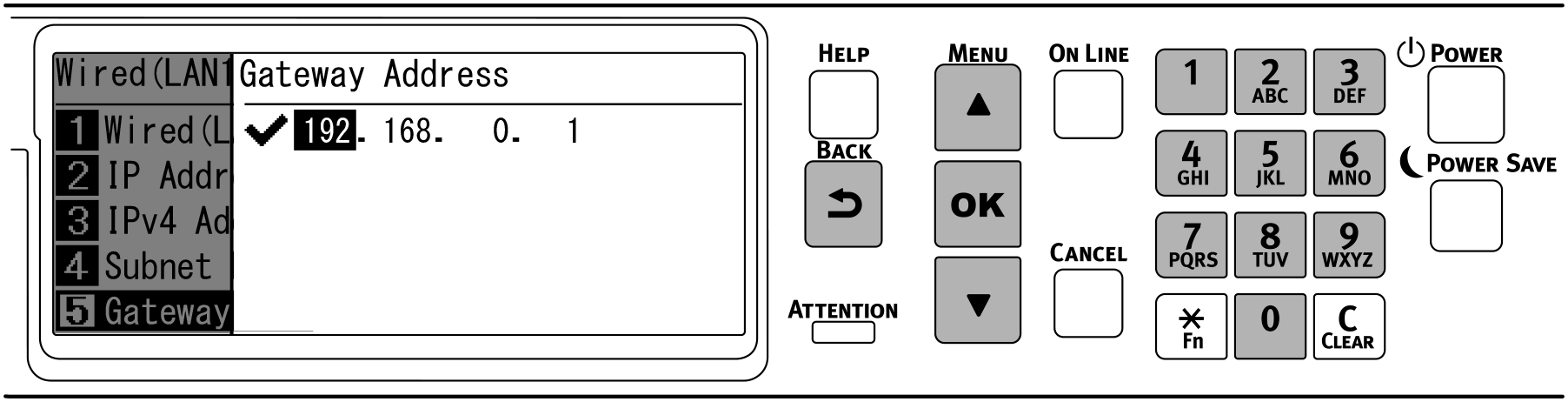
Press ▼ to select [Gateway Address], and press «OK».
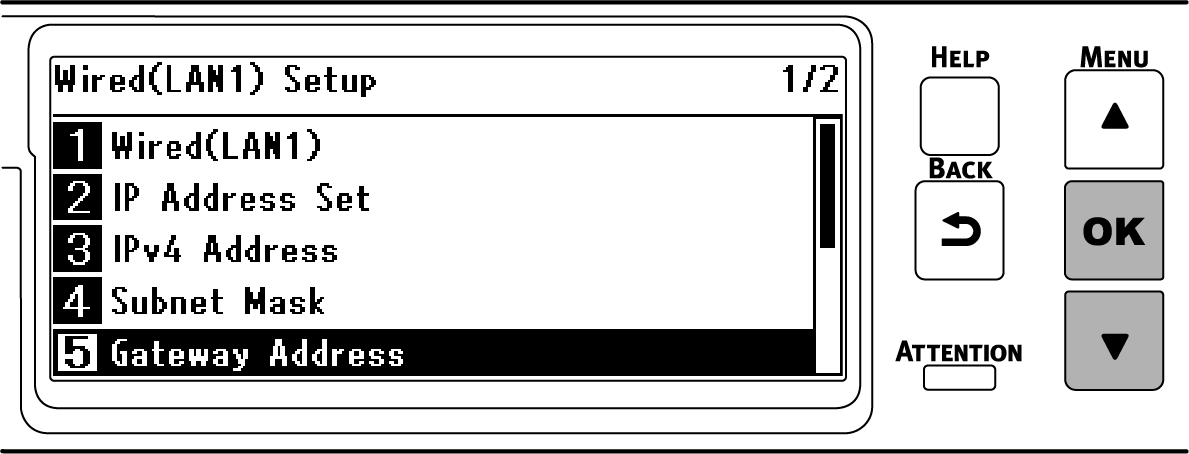
Input the gateway address in the same way as the IP address. Press «OK» after inputting all the information, check that the cursor has returned to the first 3 digits, and press «BACK».
Press «ONLINE» to return to the standby screen.