

Installing the dedicated caster stand
 | Otherwise, injury may be caused. |  |
The machine may tip over. Be sure to attach the supplied connecting parts. To install any of the three expansion trays, be sure to mount the anti-tip feet. | ||
It is a stand with casters for moving this machine.
It also comes with anti-tip feet to avoid the risk of tipping. It is recommended to use it when the expansion tray is installed.
A Phillips screwdriver and a flat-head screwdriver are required to install the caster stand.

To install any of the three expansion trays, be sure to install the dedicated caster stand, the anti-tip feet and the attached fixing parts to avoid the risk of tipping.
The packing case and cushioning materials are required to ship the dedicated caster stand. Keep them properly instead of discarding them.
| Otherwise, injury may be caused. | |
This machine weighs approx. 30 kg, so be sure to have it lifted by at least 2 persons. | ||
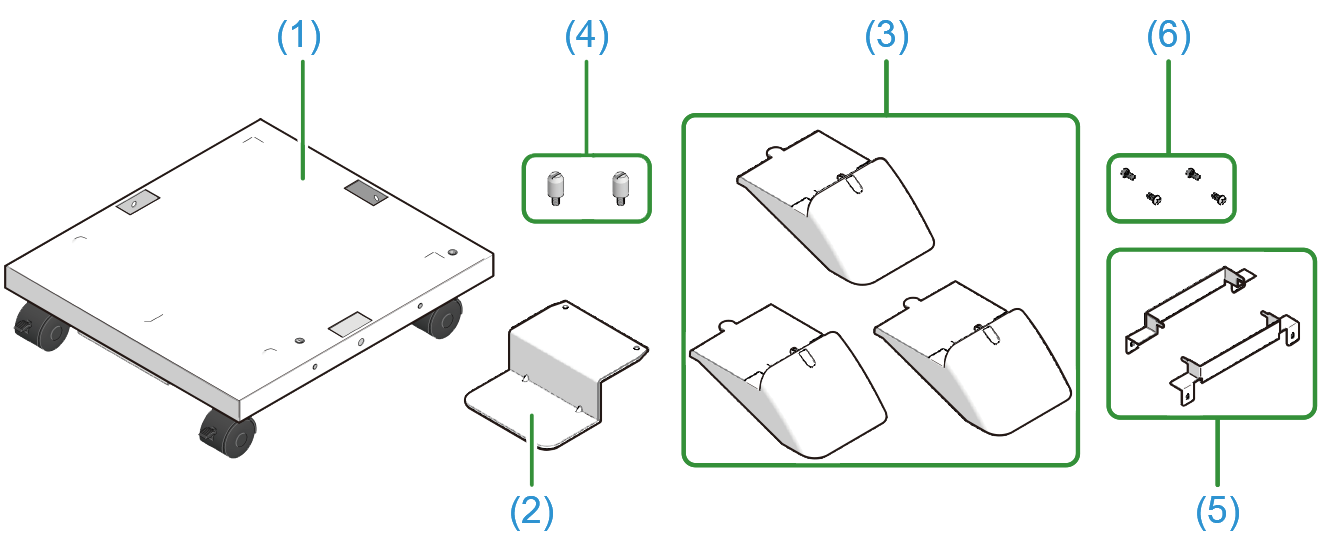
Check that you have all the parts of the dedicated caster stand.
- Main unit
- Anti-tip foot a
- Anti-tip foot b (x 3)
Positioning pin (x 2)
- Metal fixtures of the caster stand (x 2)
- Screw (x 4)
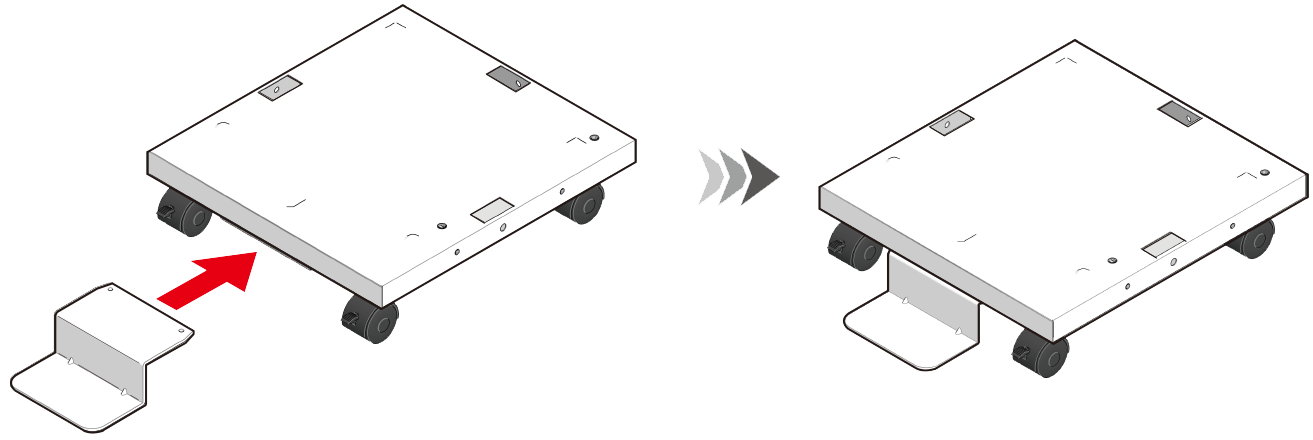
Mount the anti-tip foot a on the front of the dedicated caster stand.
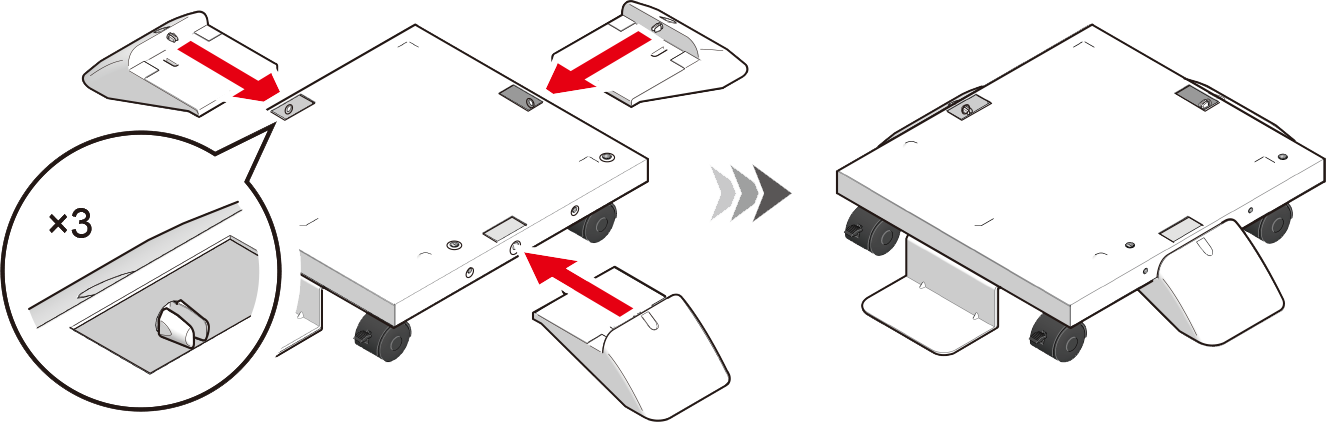
- Then, mount the anti-tip foot b (x 3) to both sides and the back.
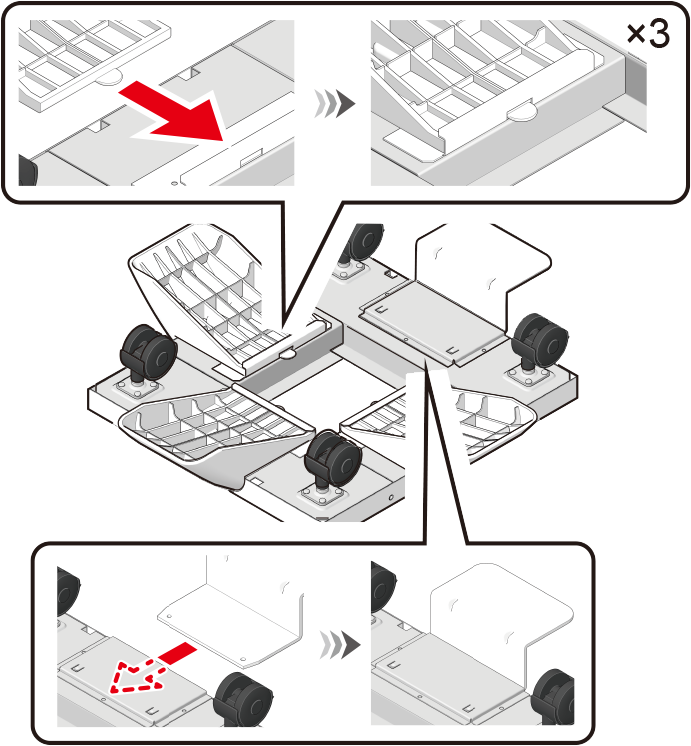
- Check that the anti-tip foot a and the anti-tip foot b (x 3) are inserted in place by turning the dedicated caster stand upside down.
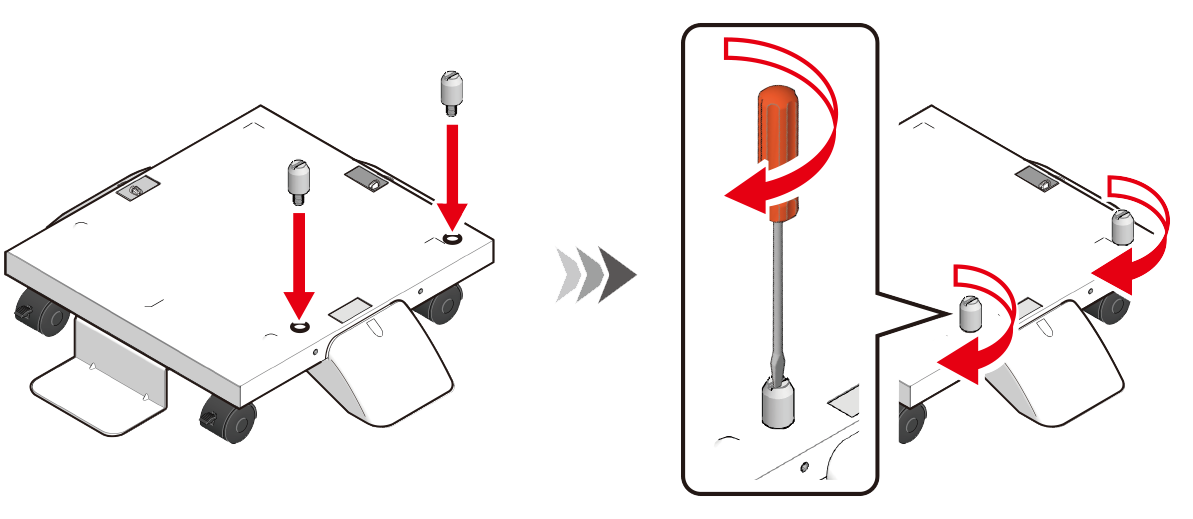
- Turn the dedicated caster stand back and mount the positioning pin (x 2). Rotate to fix the positioning pin (x 2) with a flat-head screwdriver.
Turn off this machine and remove the power cord and all cables.
- If you install it with any cable connected, you may get injured by getting your feet trapped by the cable.
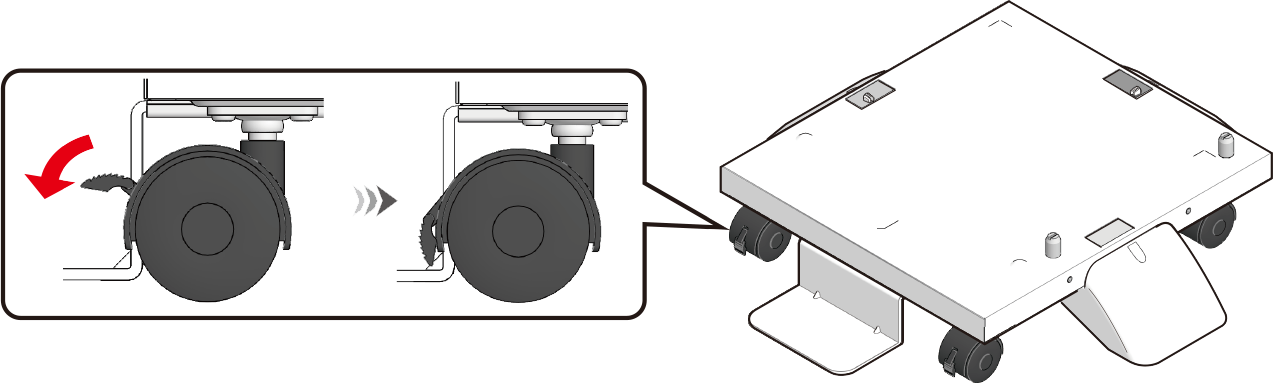
Lock the caster (x 2) to prevent the dedicated caster from moving during the installation of the main unit and the expansion tray.
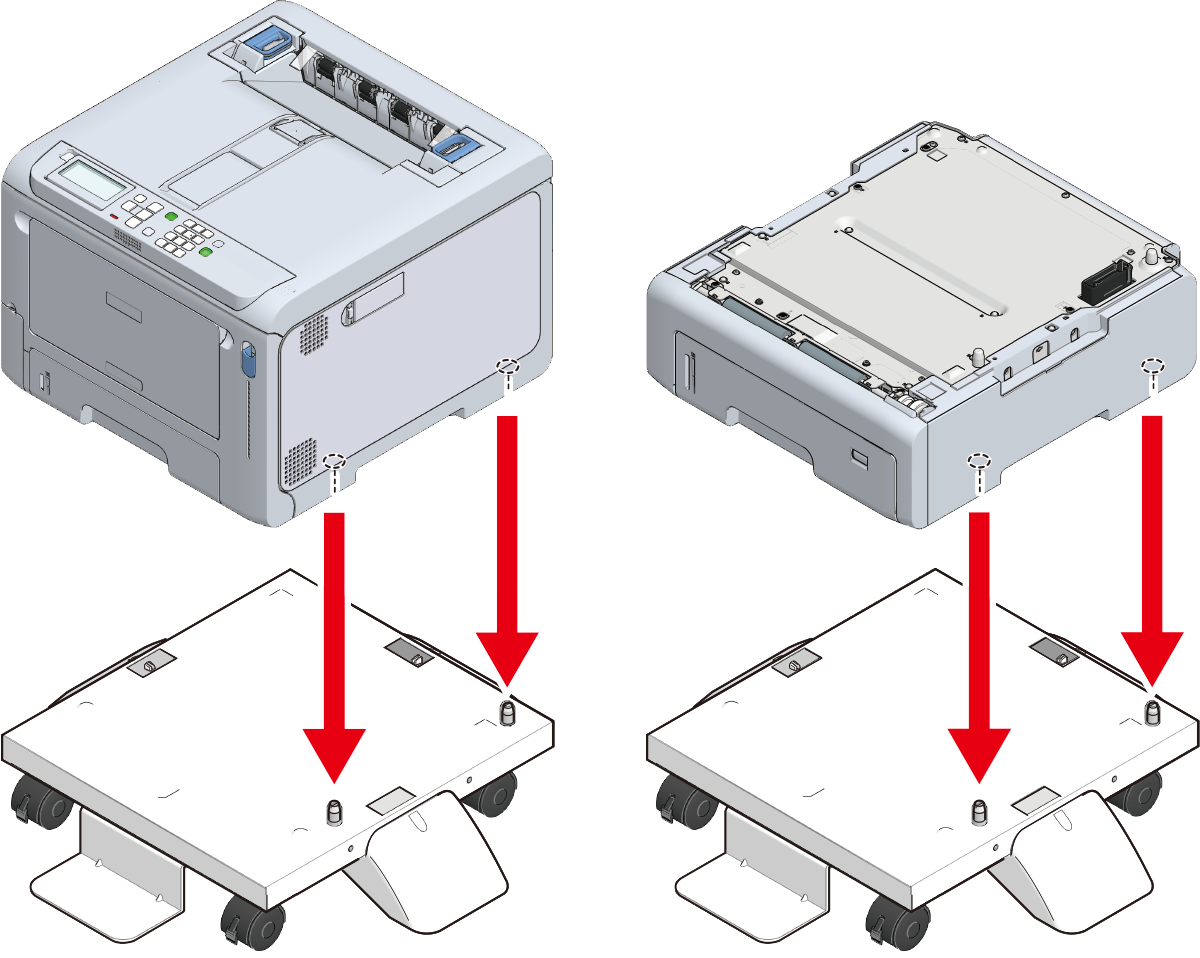
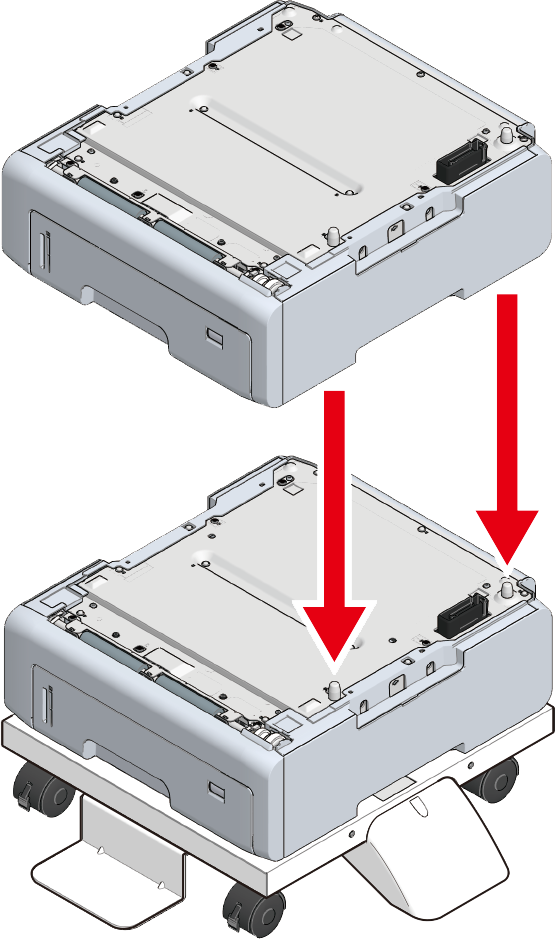
With the main unit or the expansion tray aligned with the dedicated caster caster on the right side and the front, gently stack them so that the positioning pins of the dedicated caster stand fit into the holes on the bottom.
- Fix the main unit or the extension tray and the dedicated caster stand with the metal fixture (x 2) and the screw (x 4) by using a Phillips-head screwdriver.
The figure shows an example of fixing the expansion tray and the dedicated caster stand.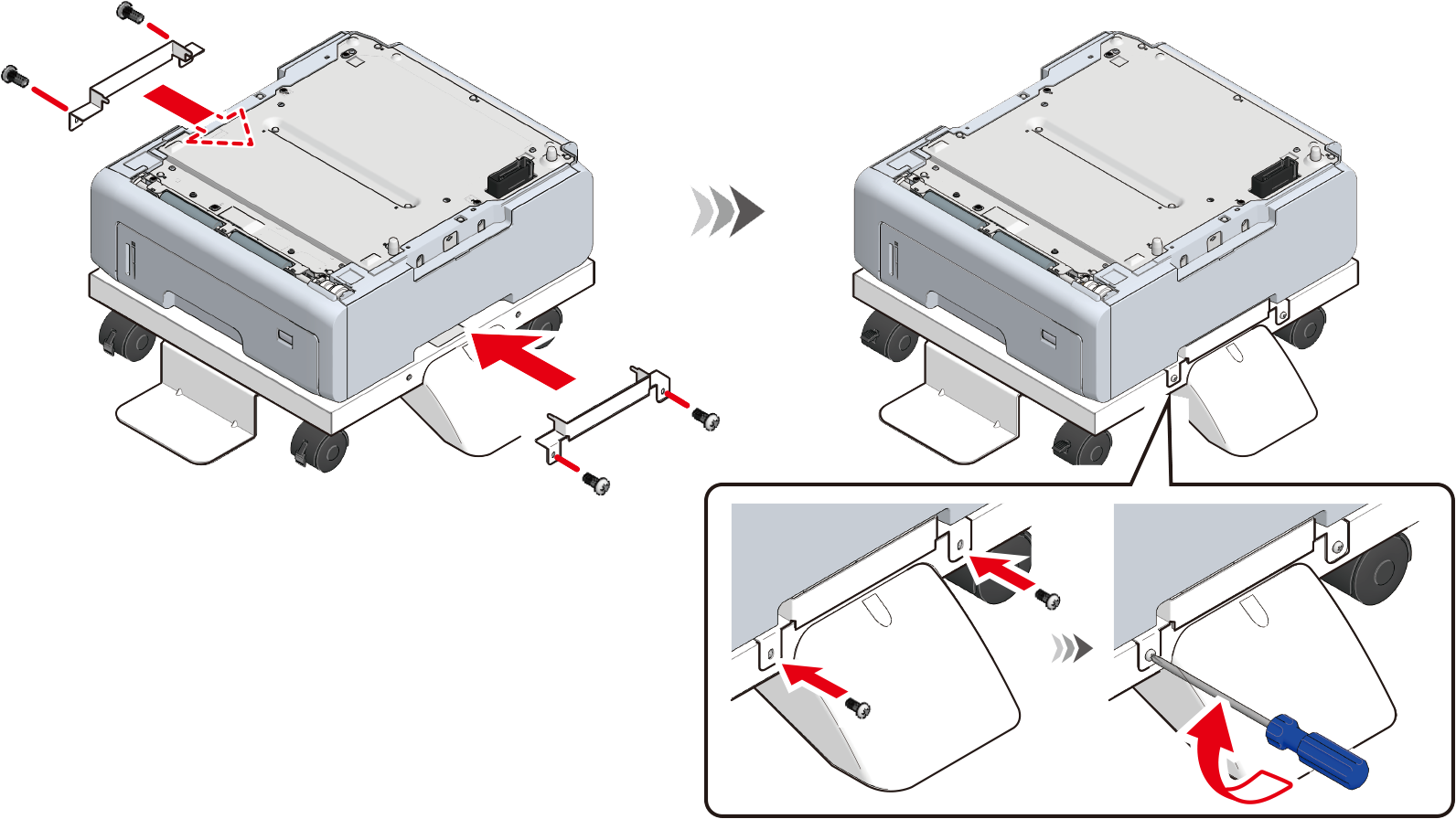
To add an expansion tray unit, align the right side and front of the expansion tray unit attached to the dedicated caster stand and the right side and front of the expansion tray unit to be installed, and gently stack them so that the holes on the bottom and the protrusions are aligned.
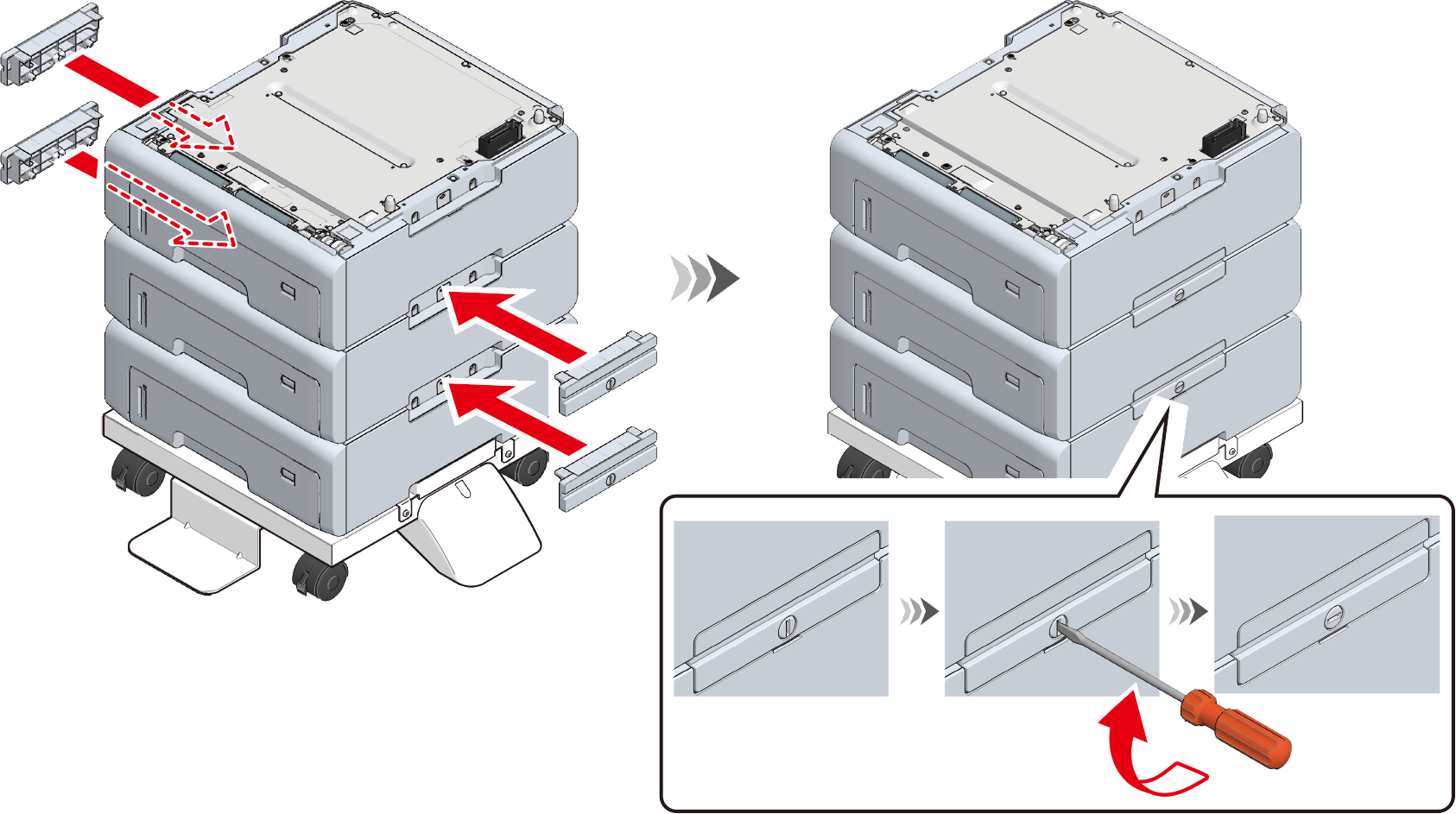
Use a flat-head screwdriver to connect the left and right sides of the stacked expansion tray units with the supplied connecting parts.
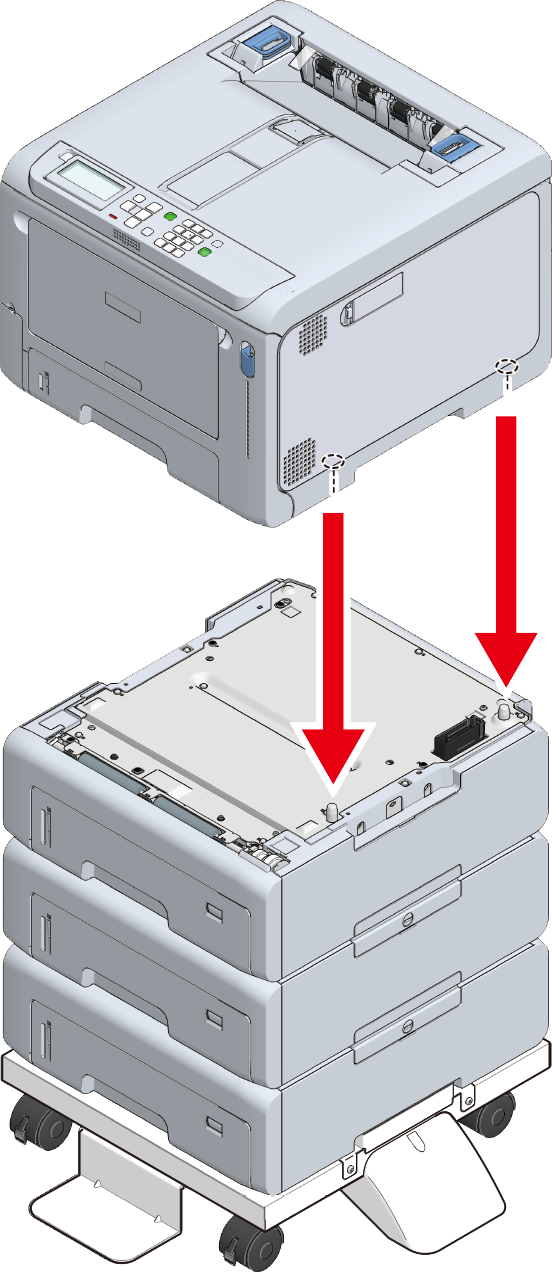
To add an expansion tray unit, align the right side and front of the main unit and the expansion tray unit, and gently stack them so that the holes on the bottom of the main unit and the protrusions of the expansion tray unit are aligned.
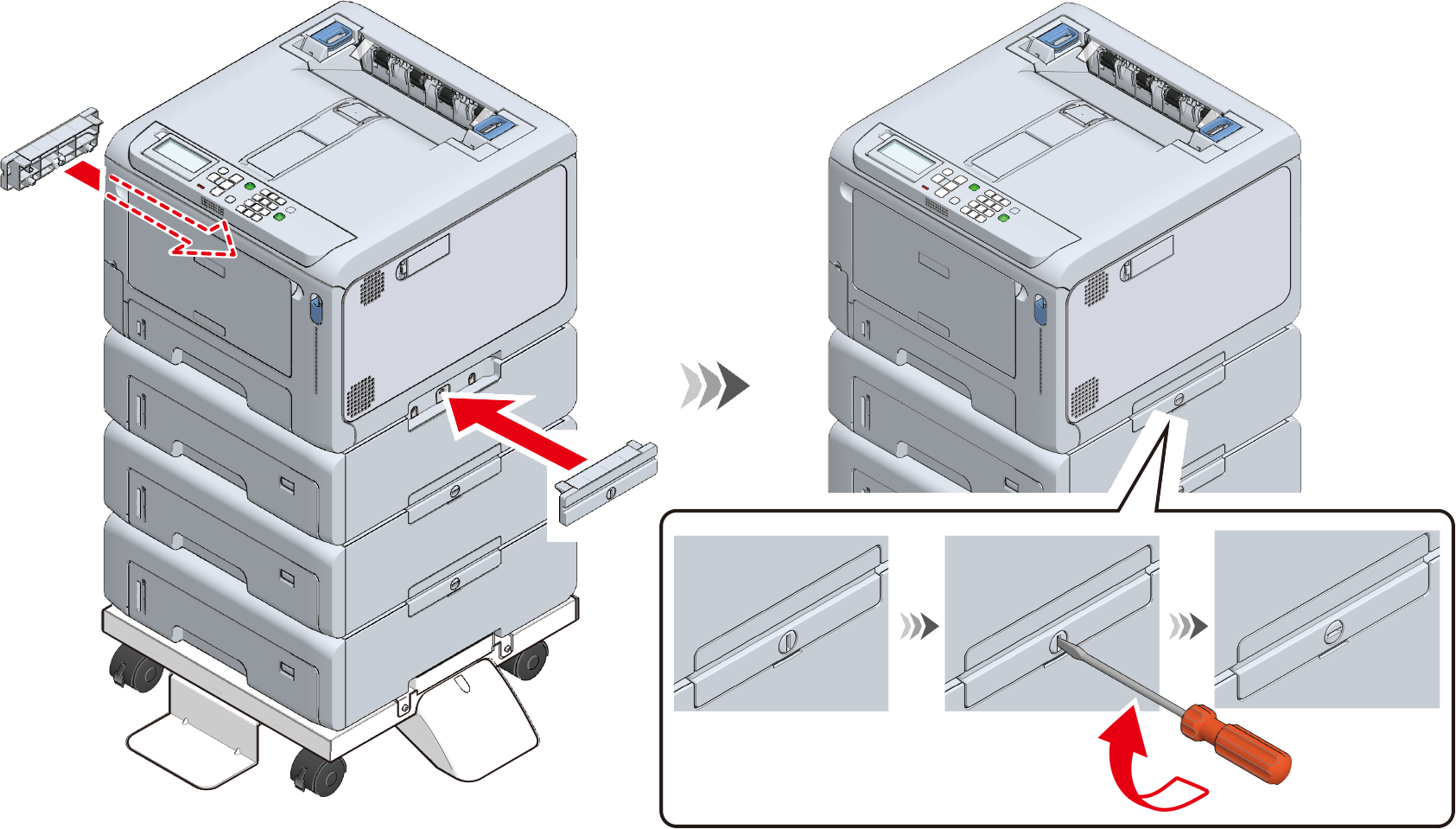
When the expansion tray is installed, fix the main unit and the expansion tray on both sides with accessories by using a flat-head screwdriver.
Before moving this machine, unlock the casters (x 2).
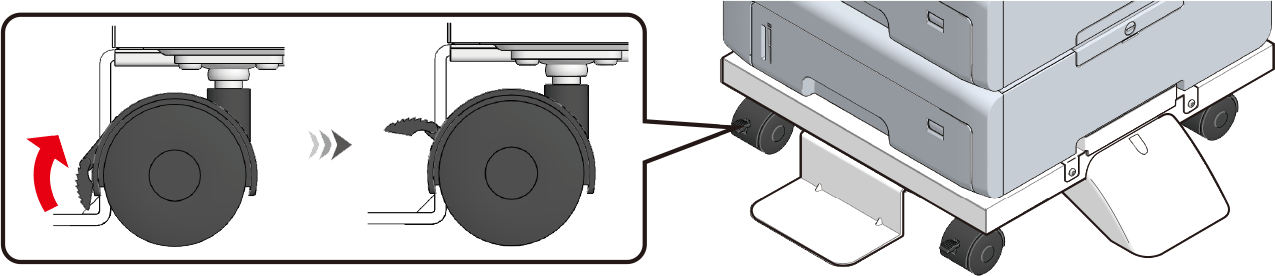
After moving the machine to the destination location, lock the casters (x 2) to avoid accidental movement.
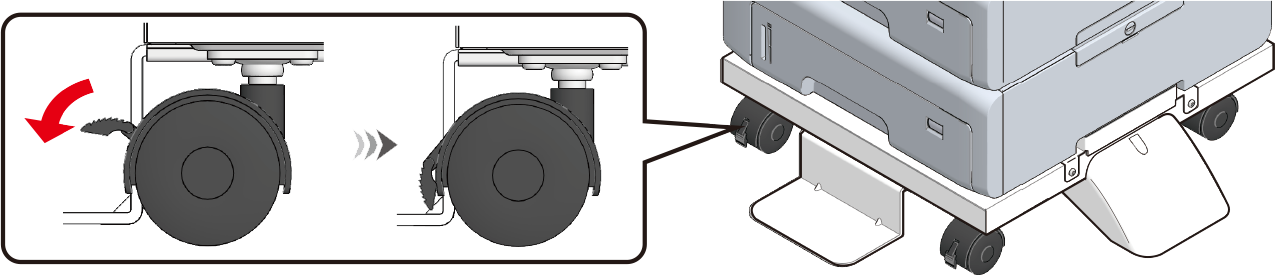
- When moving the machine or replacing consumables or maintenance parts, or loading paper in the tray, check the following points to prevent the printer from tipping over.
Do not press on the back of this machine or the image drum basket when the output tray is open and the image drum is pulled out.
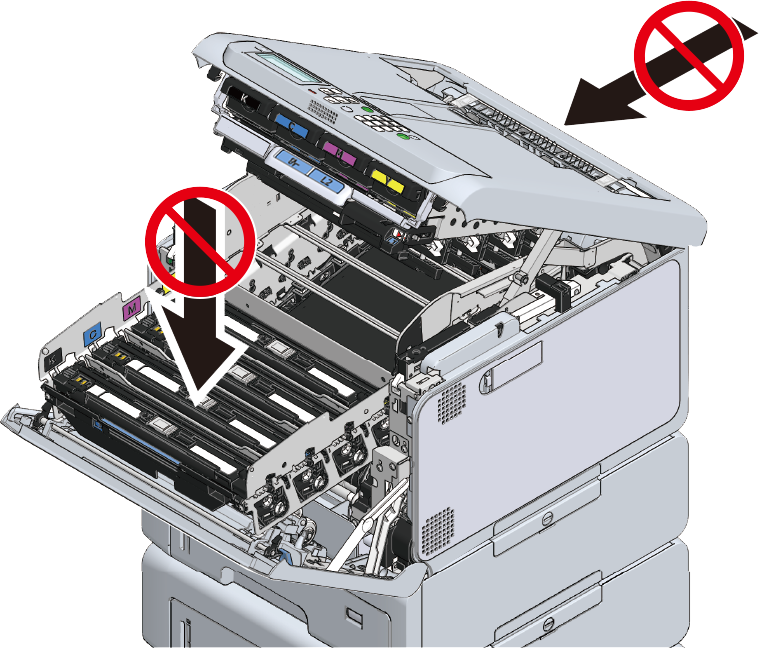
Do not press on the cassette from above when the cassette is pulled out.
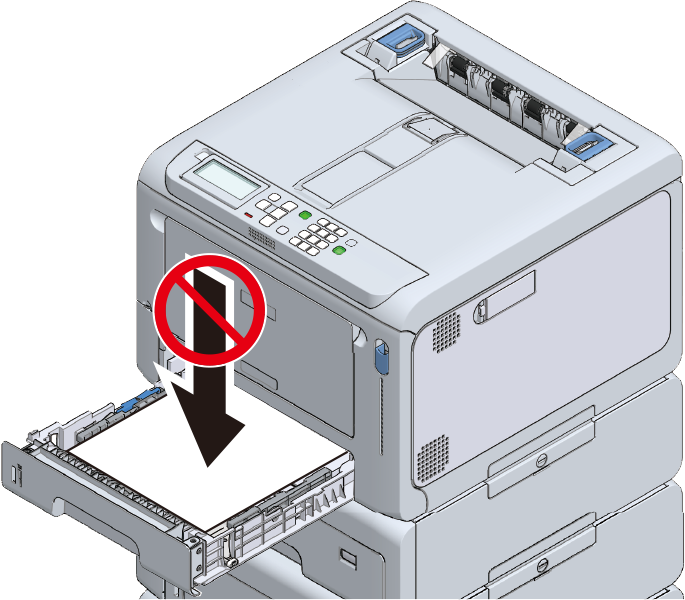
- Do not press on this machine from the back with the cassette pulled out.
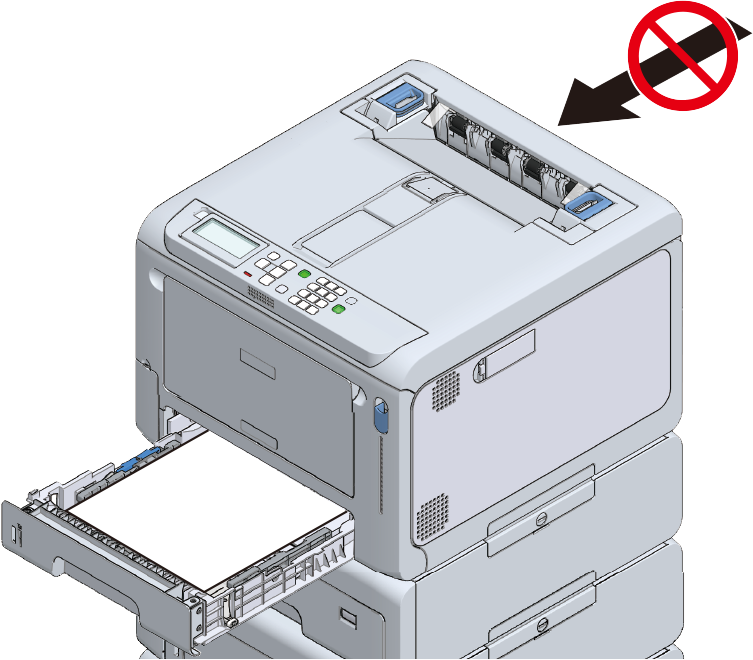
- When moving the machine or replacing consumables or maintenance parts, or loading paper in the tray, check the following points to prevent the printer from tipping over.
- Plug the power cable or any removed cables back to this machine.
Power on this machine.
When an expansion tray unit is installed, it is required to check the installation and set the printer driver.
