

Notification based on the usage status of consumables/maintenance parts
You can set notifications based on the usage status of consumables and maintenance items.
This setting only operates when the usage status of consumables and maintenance parts meets the specified conditions, so it can keep you notified of the specified usage status of consumables and maintenance parts.
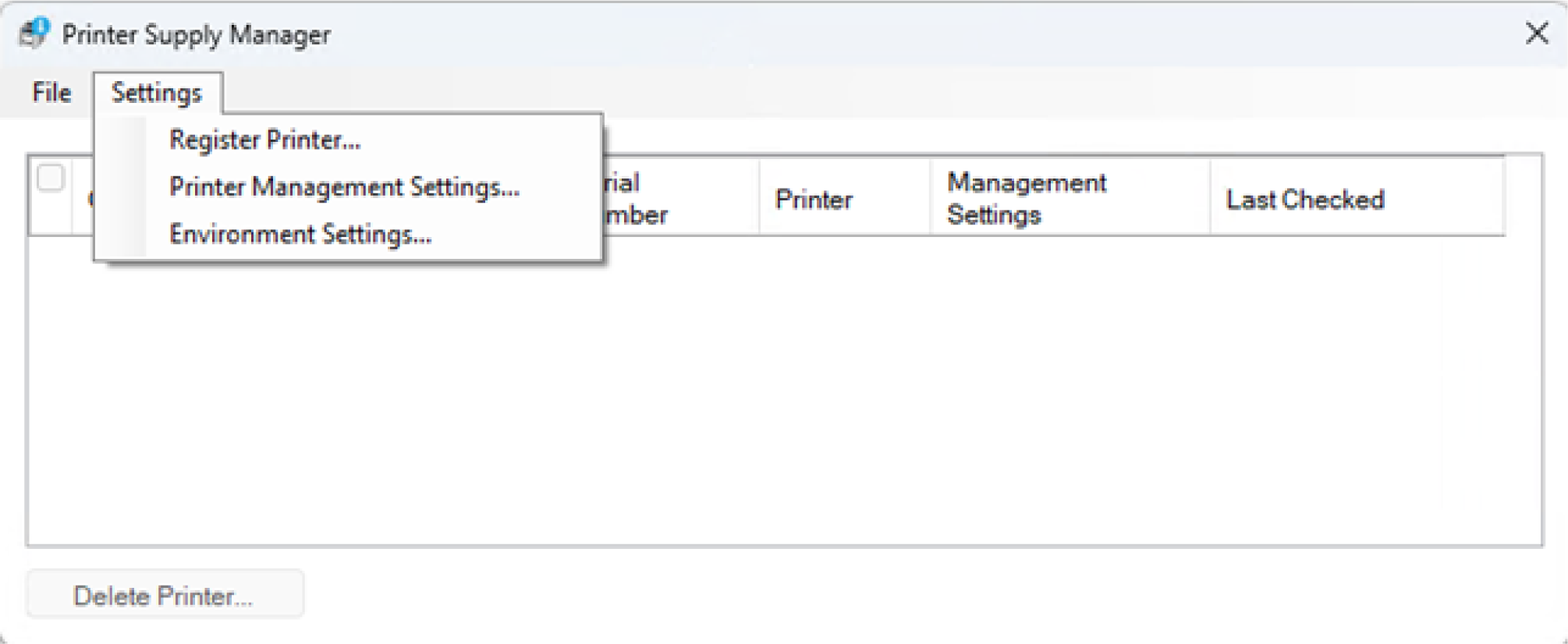
Click [Printer Management Settings] from the [Settings] menu.
Input any name for the management setting.
Set the conditions for notifications in [Management Settings of Supplies Notification].
Example) If you want to be notified when the toner level drops below 30%, set it up as follows.
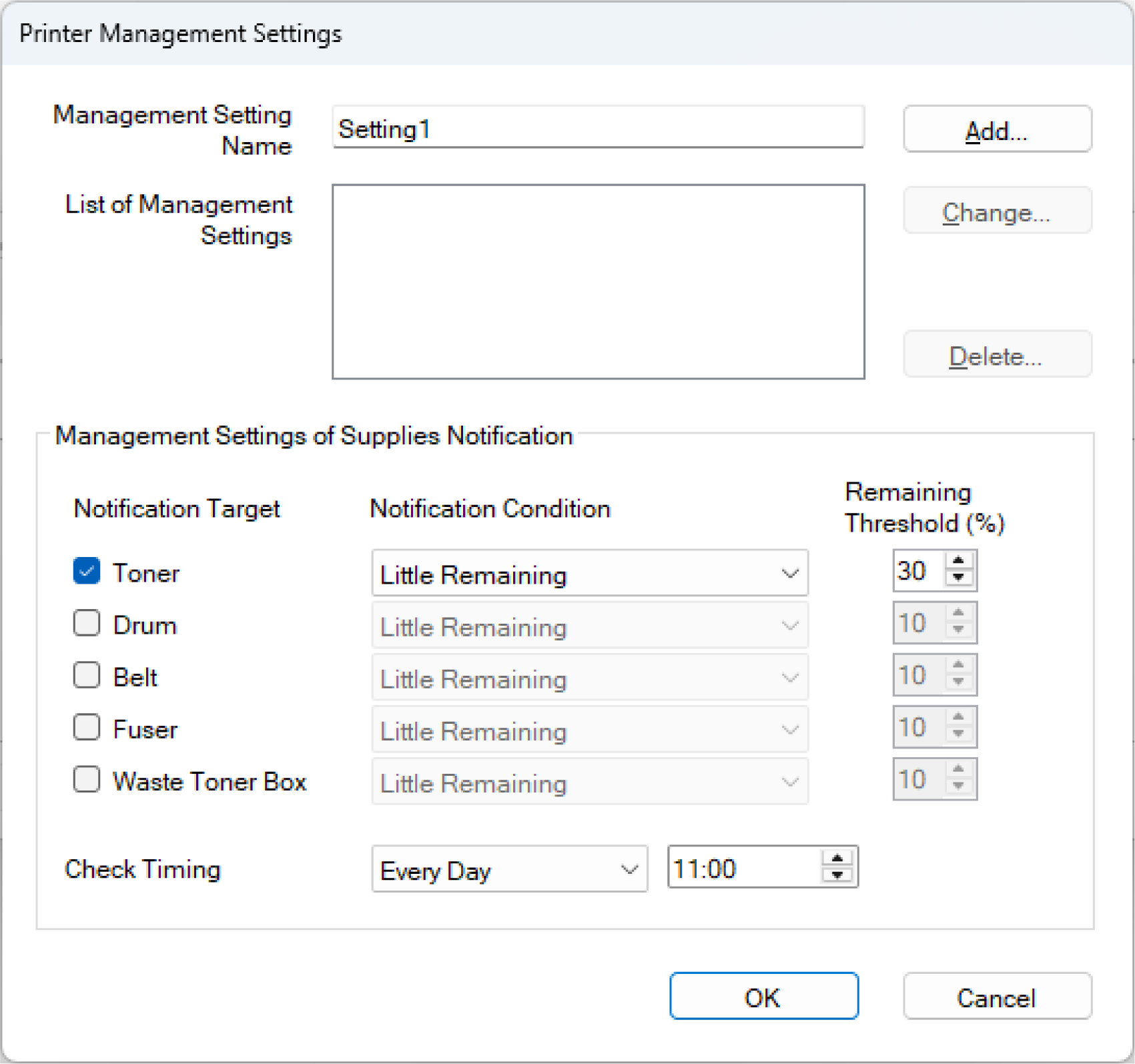
Click [Add] to save the settings, and then click [OK].
To change the conditions for notifications you have set, change the settings, click [Change], and then click [OK].
- Click [Add] or [Change] to apply the settings.
Double-click on the cell of the [Management Settings] for the printer to be notified, and input the management setting name added in Step 3.
In addition to [Management Settings], you can also change the name of [Identification].
Since this is the information that identifies the printer upon notification, it is recommended to input/change it as necessary.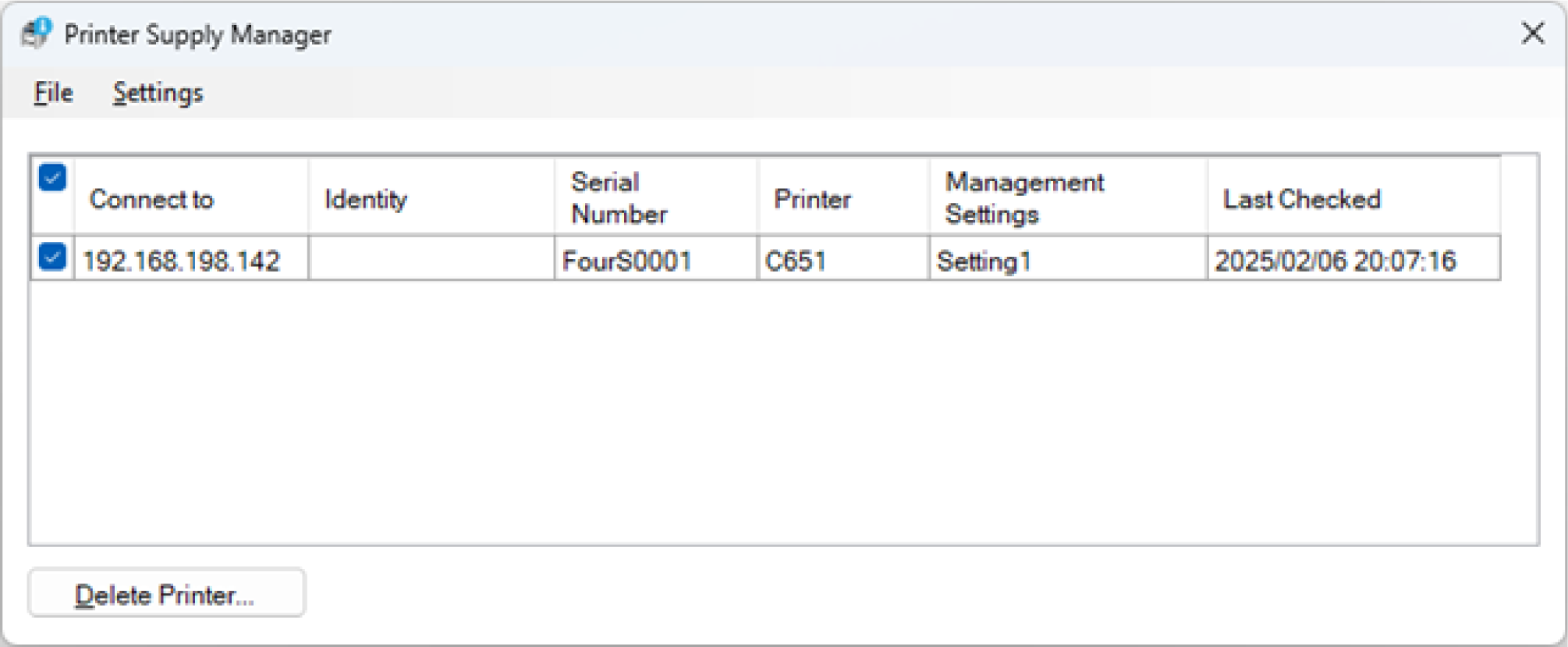
Click [x] in the upper right corner of the screen to exit the Printer Supply Manager.