
Registering the printer
- Click [Start] - [All] - [OKI] - [Printer Supply Manager] to start the Printer Supply Manager.
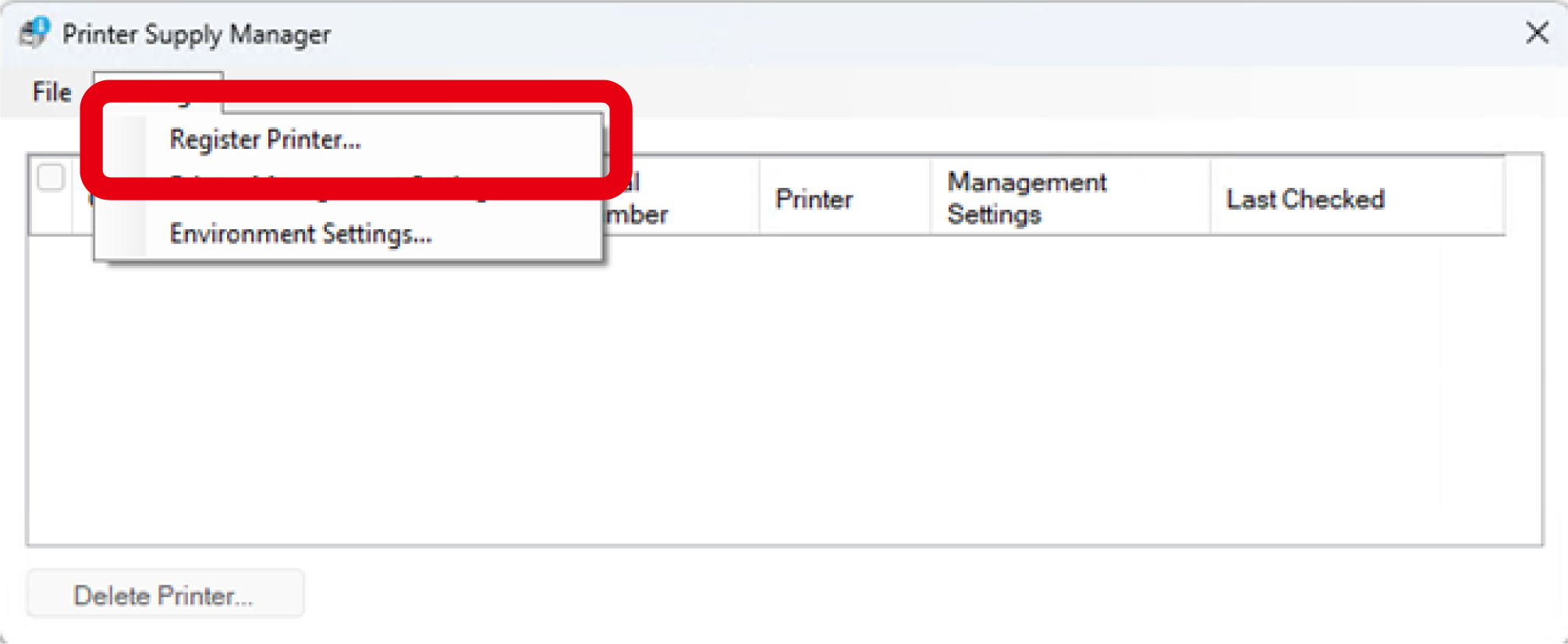
Click [Register printer] from the [Settings] menu.
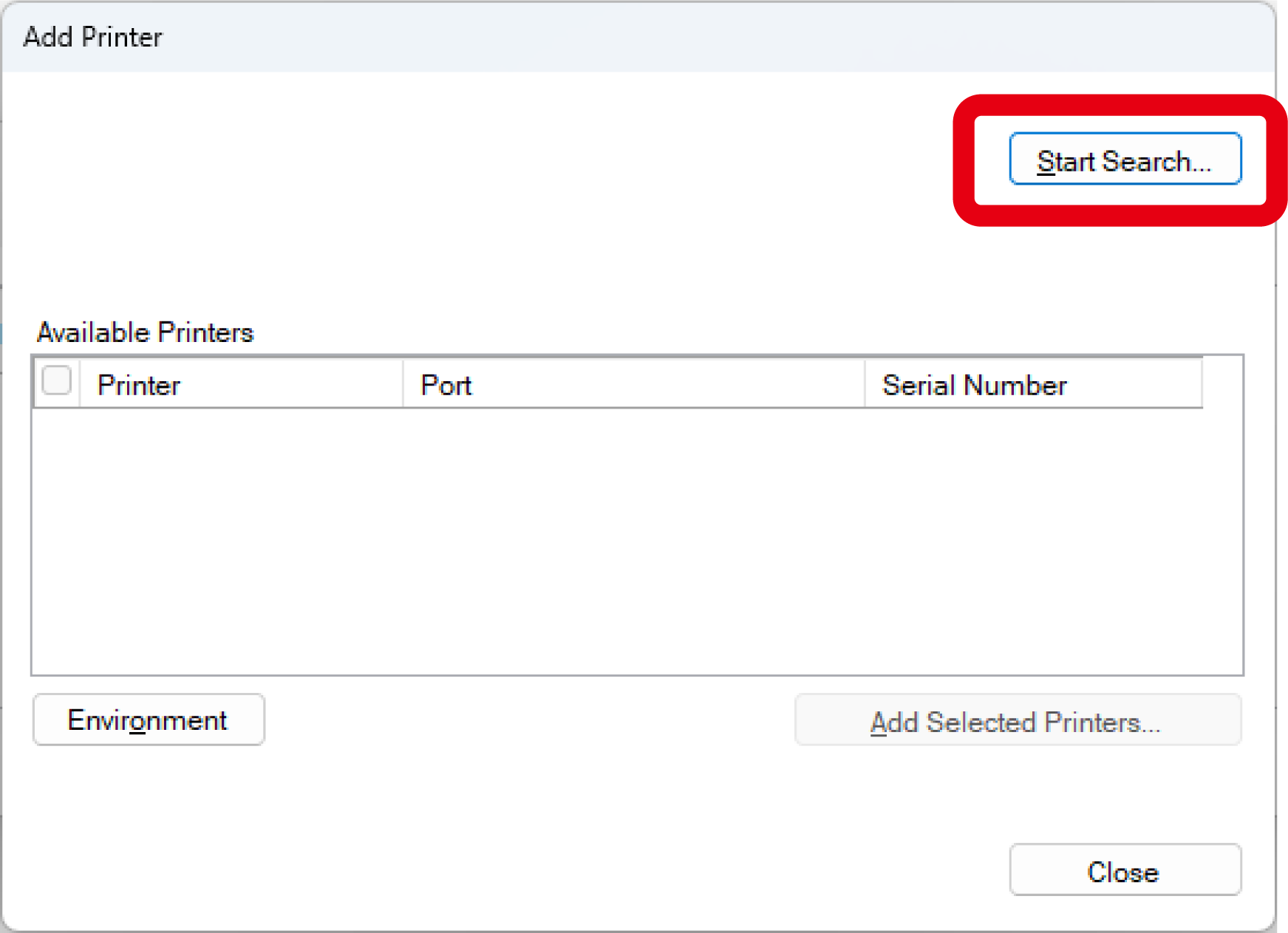
Click [Discover Devices].
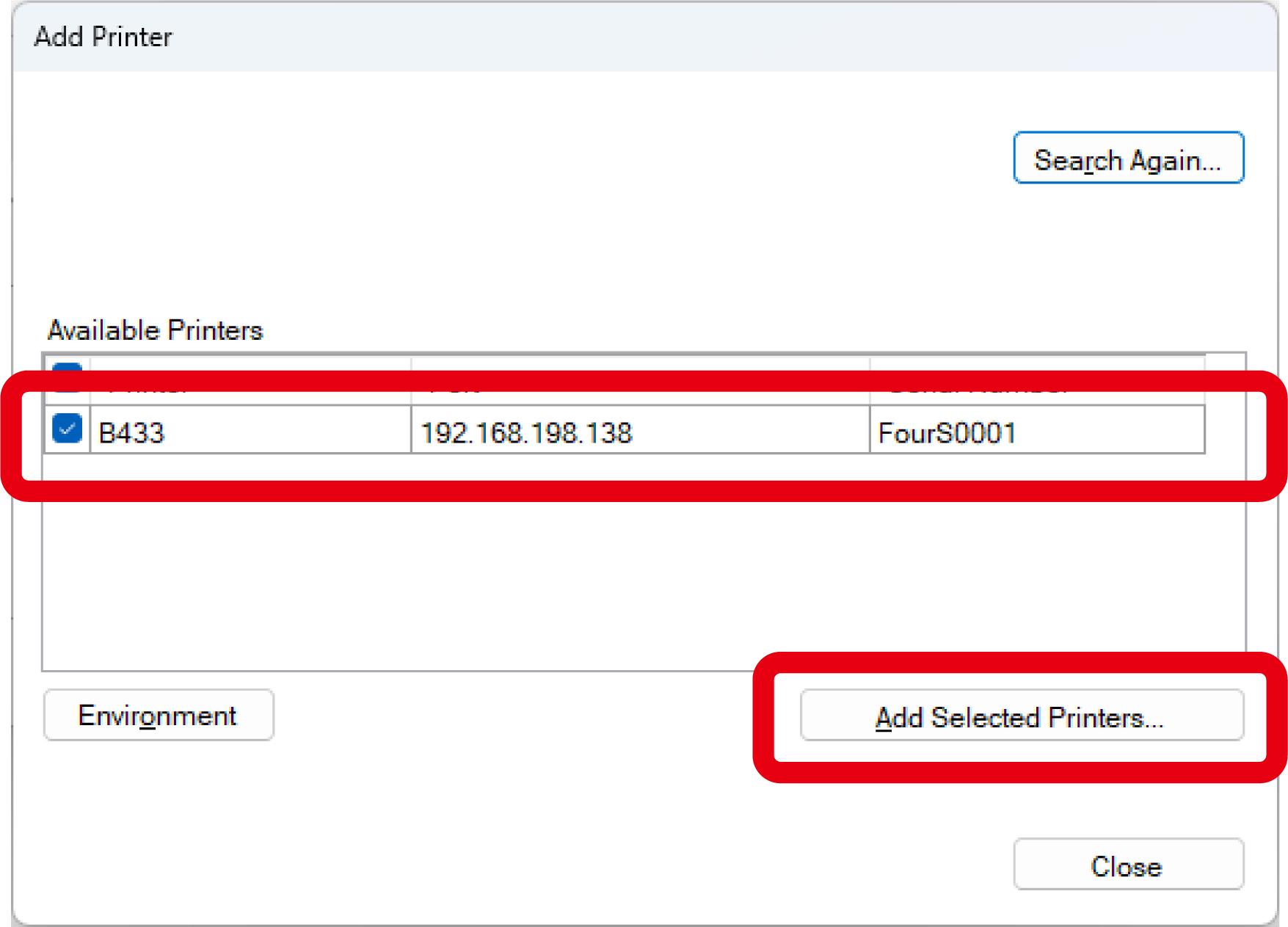
Select the discovered printer, and click [Add Selected Printers].