

Front
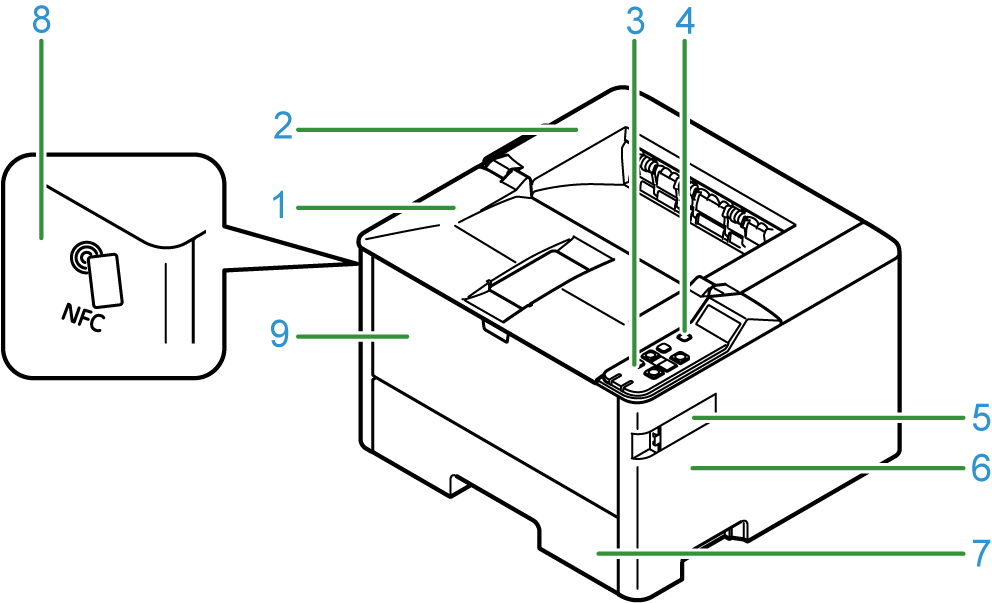
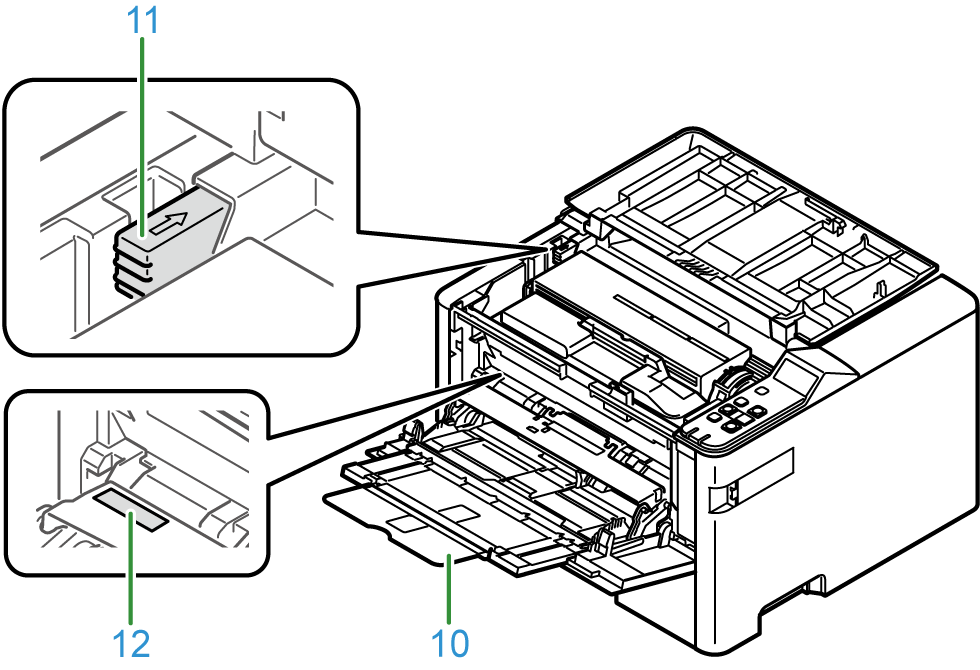
No. | Name | Function |
|---|---|---|
1 | Top cover (front) (Output tray) | Open it when replacing toner cartridges. Holds the paper ejected with the print side facing down. |
2 | Top cover (rear) (Output tray) | Open it when replacing the image drum or maintenance kit. Holds the paper ejected with the print side facing down. |
3 | Operator panel | This is the panel used to operate the main unit. It comes with a display, functional buttons, an ATTENTION lamp, etc. |
4 | Power button | Turns on and off the power of the main unit. |
5 | Wireless LAN module cover | A cover for the housing of the wireless LAN module. |
6 | Air vents | Allows air to enter and exit from the inside of the main unit. There are air vents also on the left side and the rear side of the machine. Be careful not to block the air vents. |
7 | Paper cassette of Tray 1 | Holds the paper to print. |
8 | NFC mark
| When using the NFC function, bring your mobile device close here. For details about the NFC function, refer to "Printing from a mobile device". |
9 | Multi-purpose tray (MP tray) | Holds paper of various sizes. |
10 | Paper supporter | Pull it out to load paper in the MP tray. |
11 | Top cover (rear) open button | Press it to open the top cover (rear). |
12 | Password label | Lists the factory default password. |

