

对于 Windows PCL 打印机驱动程序
- 打开要打印的文件。
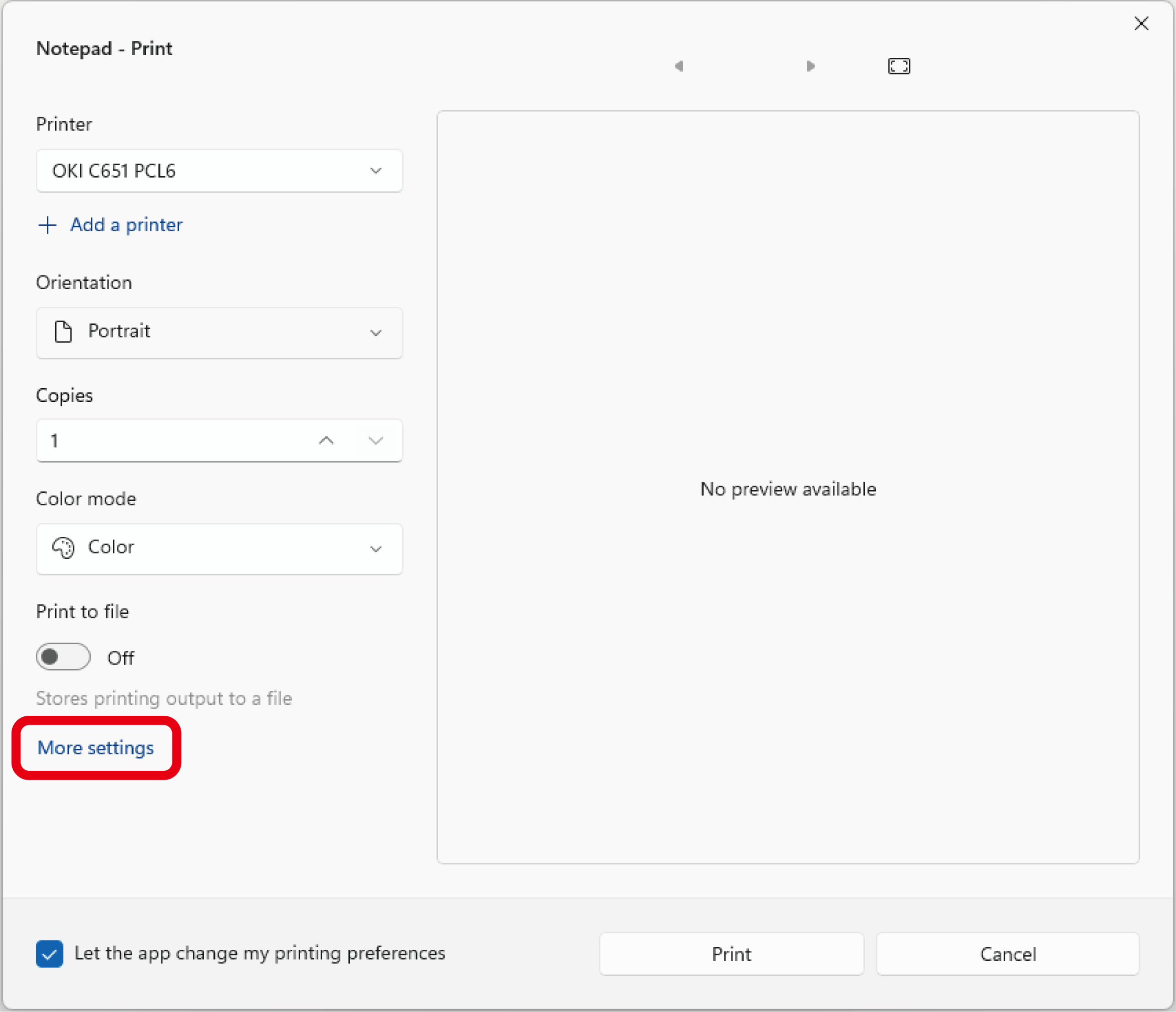
- 从 [File(文件)] 菜单中选择 [Print(打印)]。
- 从 [Select Printer(选择打印机)] 中选择 [OKI C651 PCL6(OKI C651 PCL6)]。
点击 [More settings(更多设置)]。
在 [Setup(设置)] 选项卡中,从 [Media Size(介质尺寸)] 选择装入纸张的尺寸。
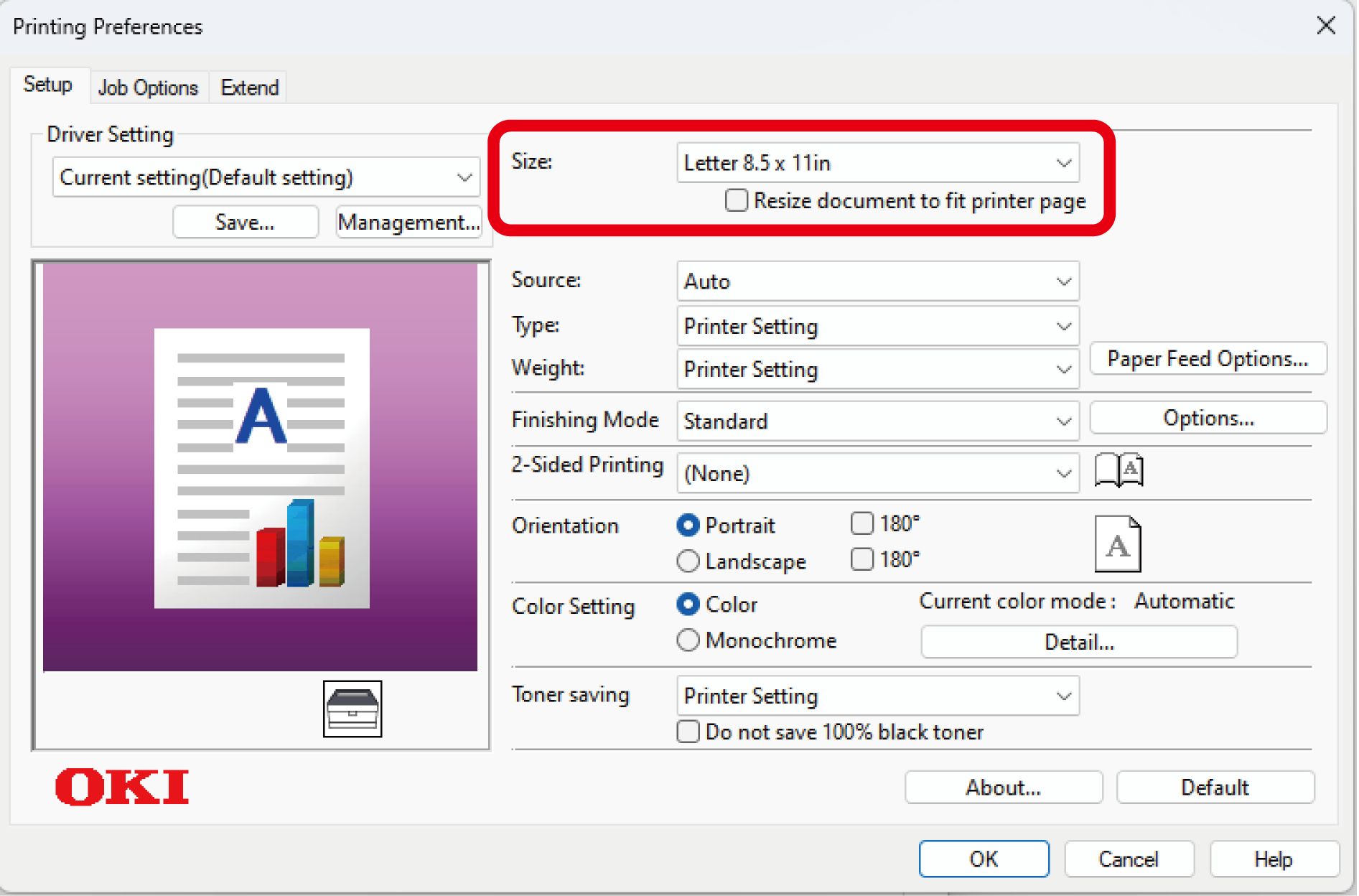
从 [Paper Source(纸张来源)] 中选择从哪个纸盒打印。

- 如果无法选择纸盒 2/3/4,请参阅“设置打印机驱动程序”。
设置 [Media Type(介质类型)] 和 [Media Weight(介质厚度)]。
- 设置其他必要的项目。
- 点击 [OK(确定)]。
- 打印开始。