

First scan the entire image, then specify the area and scan.
Note
To scan the entire image, use the flatbed (document glass). If you scan using the automatic document feeder (ADF), the area cannot be specified.
-
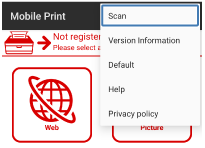
Select Scan from the menu.
-
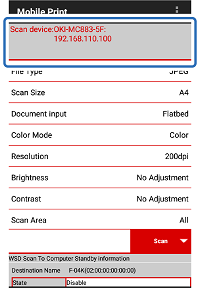
Check that the device to be used is displayed in [Scanning Device Name].
Memo
To change the device, tap the name displayed in [Scanning Device Name] to move it to the Discover Devices screen. Then, tap the name of the device you want to use in the list of the registered devices.
If the device to be used is not registered, refer to "Register printer".
-
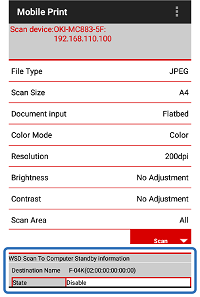
Check that [Device Status] of [WSD Scan To Computer Standby information] is set to [Disable].
If it is set to [Standby], tap to change it to [Disable].
-
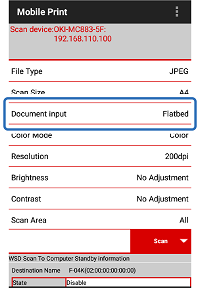
From [Document input], select [Flatbed] (document glass).
Note
With this feature, ADF (automatic document feeder) cannot be used.
-
Tap other settings (File Type, etc.) to change to the settings of your choice.
Memo
For other settings, refer to "Scanning settings".
-
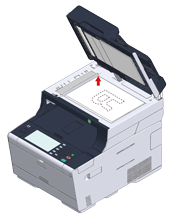
Place the document on [Flatbed] (document glass) of the device.
-
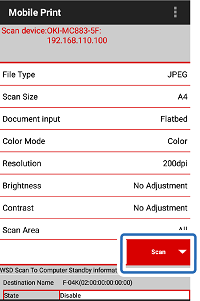
Tap [Scan] on your mobile terminal.
-
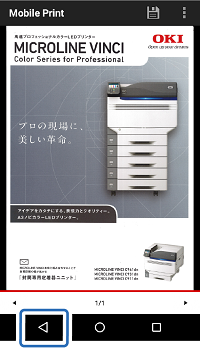
When the scanned image is displayed, tap [Back] on the navigation bar.
-
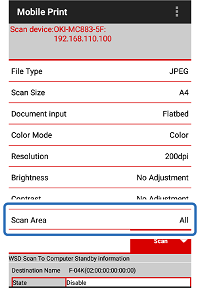
Tap [Scan Area].
-
On the [Scan Area] screen, tap [Scan Area Setting].
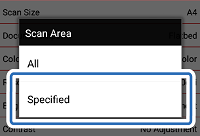
-
To specify the area to be scanned, touch and drag the part of the displayed image that you want to scan. The area to be scanned is indicated in a blue square.
Memo
To re-select the area to be scanned, tap [Cancel].
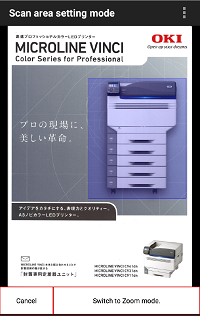
-
Tap [Back] on the navigation bar.
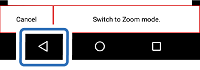
-
Check that [Scan Area] is set in [Scan Area Setting], and then tap [Scan].
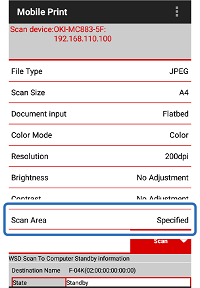
-
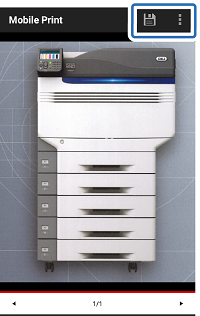
When the scanned image appears, tap [Save] or [Share].
[Save]: Saves the image on your mobile terminal.
[Share]: Saves the image to the cloud server or sends it by e-mail.
-
If you tap [Save], tap the folder in which you want to save the image. If you tap [Share], tap the desired cloud application.