

Specifying a Destination (LDAP Server)
You can search for a destination from a list on the LDAP server. There are two search methods, as shown below.
-
[Simple Search]: You can run a search with only one keyword as a user name. You can only search for character strings included in usernames, and not in e-mail addresses.
-
[Advanced Search]: You select search conditions to search for items that include all the specified keywords or any of the keywords. You can specify user names or e-mail addresses as search keywords.
Up to 100 search results are displayed.
For details on setting the LDAP server, refer to "Setting the LDAP Server".
Memo
Specify a destination in step 5 in "Sending an Internet Fax (Procedure)".
For Simple Search
-
Press [LDAP] on the [Internet Fax] or [Basic] tab.
-
Press [Simple Search].
-
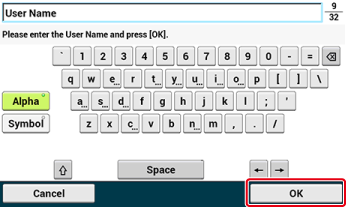
Enter a keyword to search for a user name in the LDAP server.
-
Press [OK].
-
When the search results are displayed, press the destination.
-
When you complete the selection of all the destinations, press [OK].
-
Press [Back] to return to the start screen.
For Advanced Search
-
Press [LDAP] on the [Internet Fax] or [Basic] tab.
-
Press [Advanced Search].
-
Press [Search Method].
-
Select [OR] or [AND].
-
Press [User Name].
-
Enter the keyword to search for.
-
Press [OK].
-
Press [E-mail Address].
-
Enter the keyword to search for.
-
Press [OK].
-
Press [OK] to start searching.
-
When the search results are displayed, press the destination.
-
When you complete the selection of all the destinations, press [OK].
-
Press [Back] to return to the start screen.