

Deleting a Registered Destination from a Computer
If you use the E-mail Address Manager of Configuration Tool, you can delete a registered e-mail address.
If you click  (Save to device), the changed settings are reflected to the machine.
About icons used in Configuration Tool
List of Icons used in Configuration Tool
-
Click [Start], and then select [All Programs] > [Okidata] > [Configuration Tool] > [Configuration Tool].
-
Select the machine from [Registered Device Table].
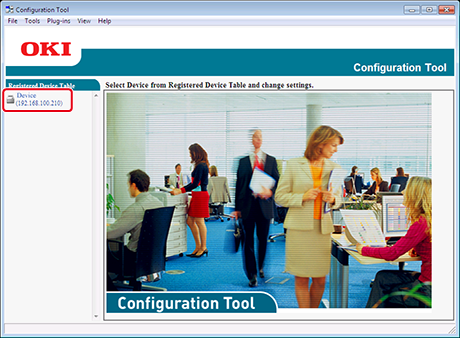
-
Select the [User Setting] tab.
-
Click [E-mail Address Manager].
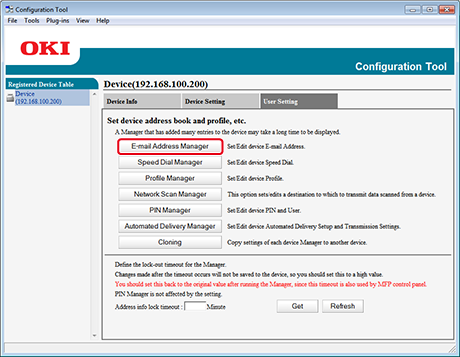
-
Enter the administrator password, and then click [OK].
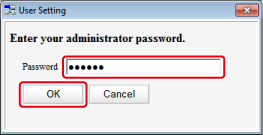
-
Select an E-mail address to delete, and then click
 (Delete).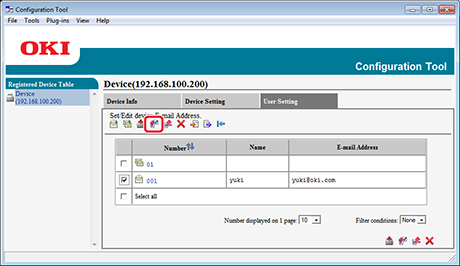
Memo
-
If you click
 (Delete and Sort), the selected destination is deleted and the subsequent numbers move up.
 -
If you click
 (Delete all), all the destinations or groups are deleted.
-
-
Click
(Save to device).