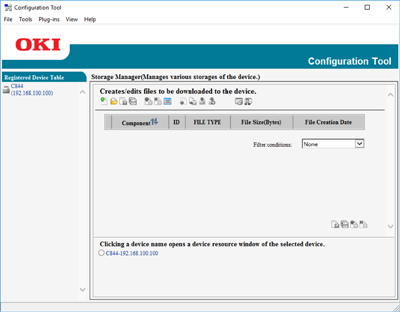

This section describes the name and function of each screen.
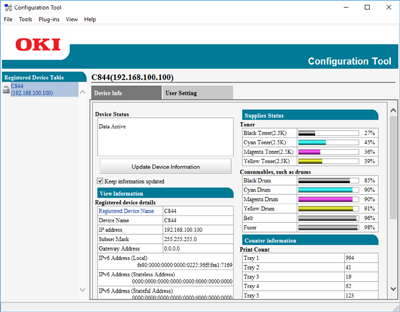
[Device Info] tab
The status and information of the machine are displayed.
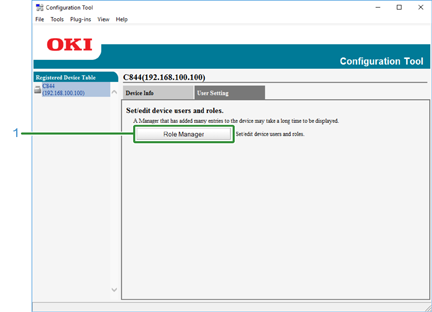
[User Setting] tab
Set the user, role, and other settings.
|
|
Item |
Description |
|---|---|---|
|
1 |
Role Manager |
Set/Edit device users and roles. |
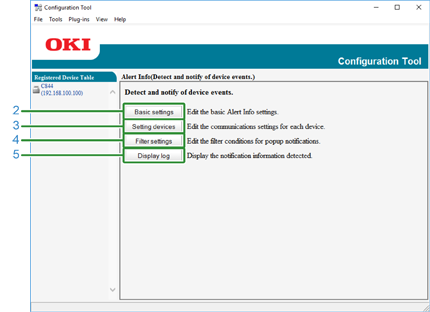
[Alert Info] plug-in
Detect a device event and sends a notification.
|
|
Item |
Description |
|---|---|---|
|
2 |
Basic settings |
Edit the basic Alert Info settings. |
|
3 |
Setting devices |
Edit the communications settings for each device. |
|
4 |
Filter settings |
Edit the filter conditions for popup notifications. |
|
5 |
Display log |
Display the notification information detected. |
[Network Setting] plug-in
Set the device network.
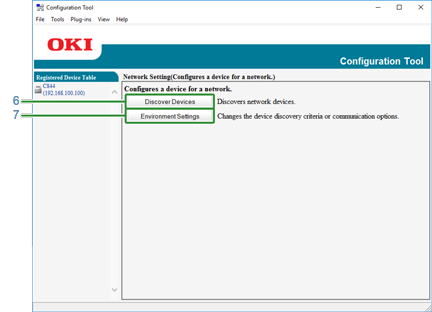
|
|
Item |
Description |
|---|---|---|
|
6 |
Discover Devices |
Discovers network devices. |
|
7 |
Environment Settings |
Changes the device discovery criteria or communication options. |
[Storage Manager] plug-in
Create or edit a file to download to a device.