

Erasing Shadow Lines (Center Erase)
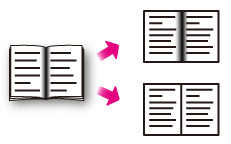
When scanning documents with the document glass cover open, or scanning a book or magazine, shadow lines may appear in the scanned images.
You can eliminate the shadow lines from the scanned images.
-
Press [Scan] or the
 (SCAN) button.
 -
Set a document in the ADF or on the document glass.
-
Select a scan method.
Sending Scanned Data as an E-mail Attachment
Saving Scanned Data in USB Memory
Saving Scanned Data in a Shared Folder
Specify a destination by following the procedure for the selected scan method.
-
Press [Center Erase] on the [Image Settings] tab.
-
Enter a value from 1 to 50 mm (0.1 to 2.0 inches) in [Width] by using the numeric keypad or pressing

 on the touch panel, and then press [OK].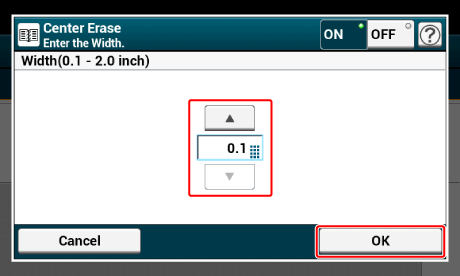
-
Change other settings if necessary, and then press the
 (START) button.