

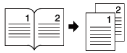
Copying Two-Page Spread Separately onto Two Sheets (Book Copy)
Copies two-spread pages of bound documents onto separate sheets of paper.
Note
-
You cannot use the ADF for this function. Always use the document glass.
-
Place two-spread document with the face down on the document glass.
-
Only A3, A4
 , B4, Tabloid, and Letter size documents are available.
 -
A part of the document may not be copied depending on the paper, document, or zoom rate.
-
Press [Copy] or the
 (COPY) button.
 -
Set a document on the document glass.
-
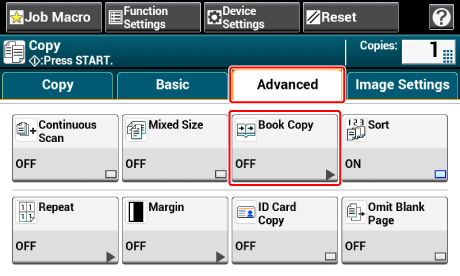
Press [Book Copy] on the [Advanced] tab.
-
Select the binding direction of the document to be copied.
Left side bound
Right side bound


-
Select the paper tray in which available paper is loaded.
-
Press [Tray] and select paper.
-
Select the paper tray in which available paper is loaded.
-
-
Press the
 (START) button.